

Work orders
Bill the job
A job becomes billable when it is signed off. From then on, the work order shows a Billing card with what is still open.
Bill this job
Open the completed work order. The Billing card reads Not billed, with the amount open and who it is for. Click Bill this job to create the customer’s invoice from those charges.
The invoice starts as a draft, so nothing reaches the customer yet. The card now shows the invoice number, its status, and the amount, and links to the invoice. Open it, check it, and issue it from the invoice page. Issuing asks Issue this invoice? before it goes out.
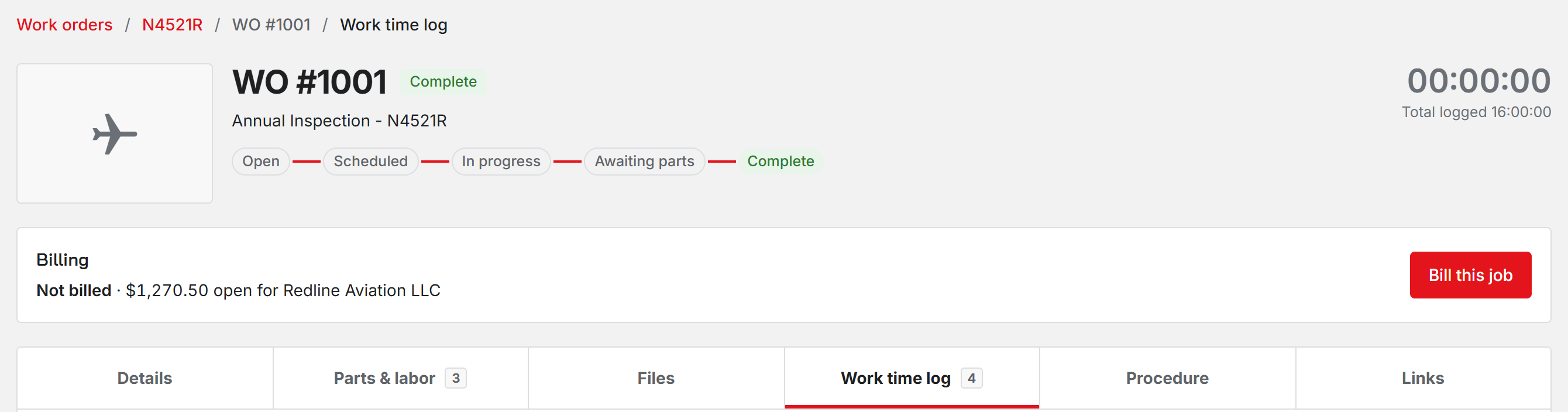
You need to handle invoices to see the button, which means the Office or Administrator role. Unbilled work on the dashboard lists every completed job still waiting for this step.
Limits
- You cannot bill a job before it is complete. The Billing card does not exist until then.
- There are no deposits or progress billing on a work order.
- If the charges are split across more than one payer, bill each of them from Invoices instead.
- If your shop bills late fees on the next invoice, any open late fees for that customer ride along on this one.
Was this page helpful?
Can’t find what you need? Contact us - a real person reads every message.