

Shop settings
Invoice numbering, terms, and statements
Three sections of Shop settings decide how your invoices look and when money is asked for: Invoicing, Statements and Payments.
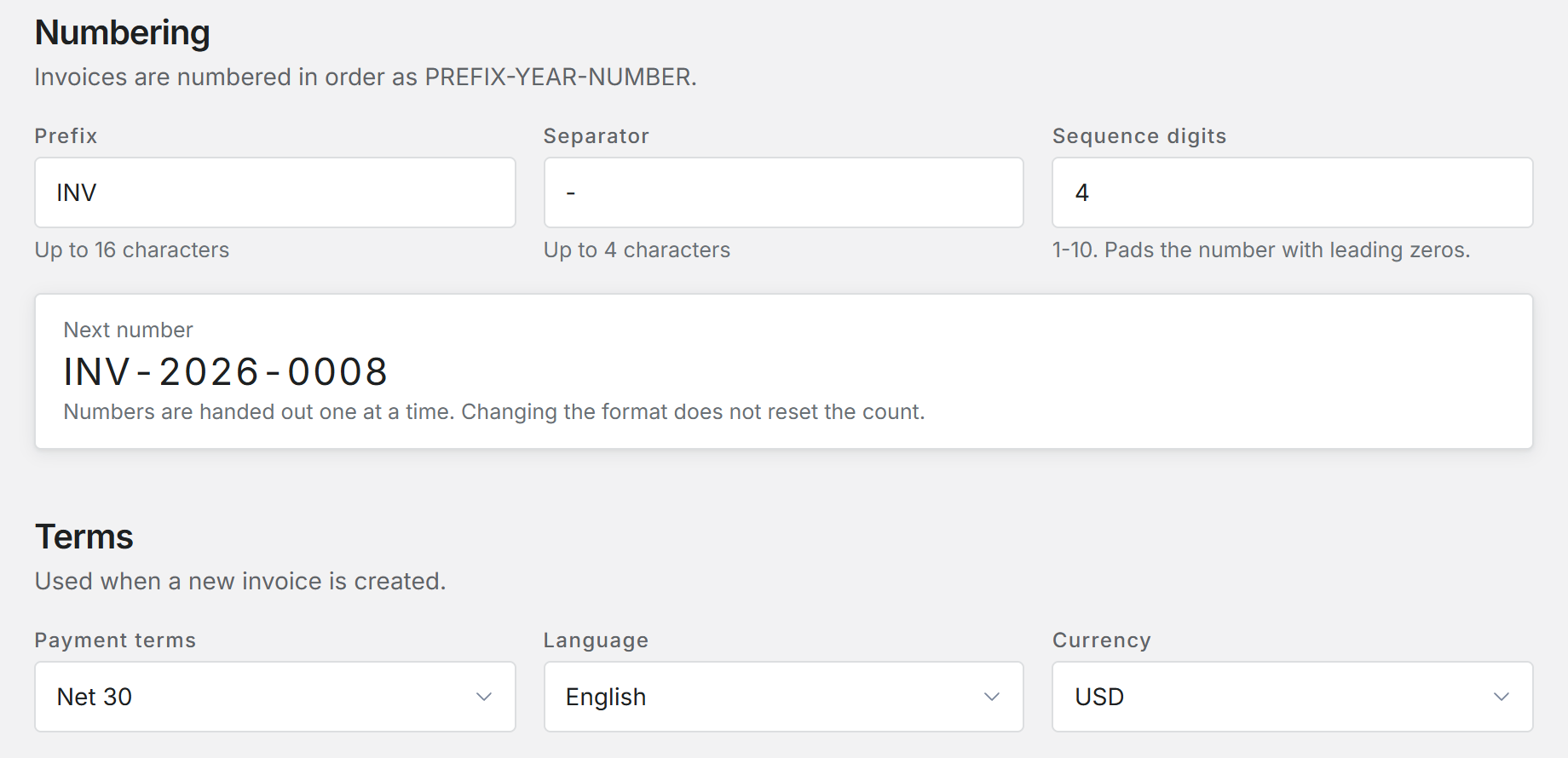
Numbering
Invoices are numbered in order as prefix, year and number. You set the Prefix (up to 16 characters), the Separator (up to 4) and Sequence digits (1 to 10), which pads the number with leading zeros. Next number shows what the next invoice will be called.
Changing the format does not reset the count.
Terms
Payment terms sets the due date on each new invoice: Due on receipt, Net 15, Net 30, Net 45, or Custom for any number of days from 0 to 365. Language and Currency are set here too.
What prints
Switches decide which details print on every invoice: your tax ID, a signatory, aircraft tail numbers, meter readings, and the customer's email, phone and address. With Signatory on, you can upload a signature image and the name printed under it.
The footer has three plain text boxes: Terms and conditions, Payment instructions, and Other information. Template picks the look of the invoices you download or email.
Your shop name, address, phone, email and logo come from Shop details, not from here.
Reminders
Remind before due and Remind after due email the customer that many days before and after the due date. Tell the office after due emails the office once an invoice is that far past due. A blank box turns that reminder off.
Customer reminders also follow the Email payment reminders switch under Emails. The office warning goes to whoever is set to hear Invoice is badly overdue under Shop alerts.
Statements
A statement summarizes every open charge and payment on a customer's account. Statement period picks when they are made: Month end, 15th to the 14th, Quarter end, or one of two by-hand choices that only produce a statement when you generate one.
For the three automatic periods, Send statements automatically emails a statement to every customer with a balance at the end of the period. Leave it off and statements wait as drafts for the office.
Payments and accounting
Payments is where the owner connects the payment processor that lets customers pay online. Only the owner can connect or change it; others see the processing fee setting and a note saying so.
Accounting sync, on the same page, sends invoices and payments to QuickBooks Online or Xero when your plan includes it.
Issuing an invoice and getting paid online
Who can change these
Administrators and Office staff can change Invoicing and Statements. Payments opens for both, with the connect controls limited to the owner.
Was this page helpful?
Can’t find what you need? Contact us - a real person reads every message.