

Invoicing and payments
What goes on a shop invoice
An invoice for a job is built from the lines on the work order. Here is what your customer sees on it, and what happens between creating it and sending it.
The job, line by line
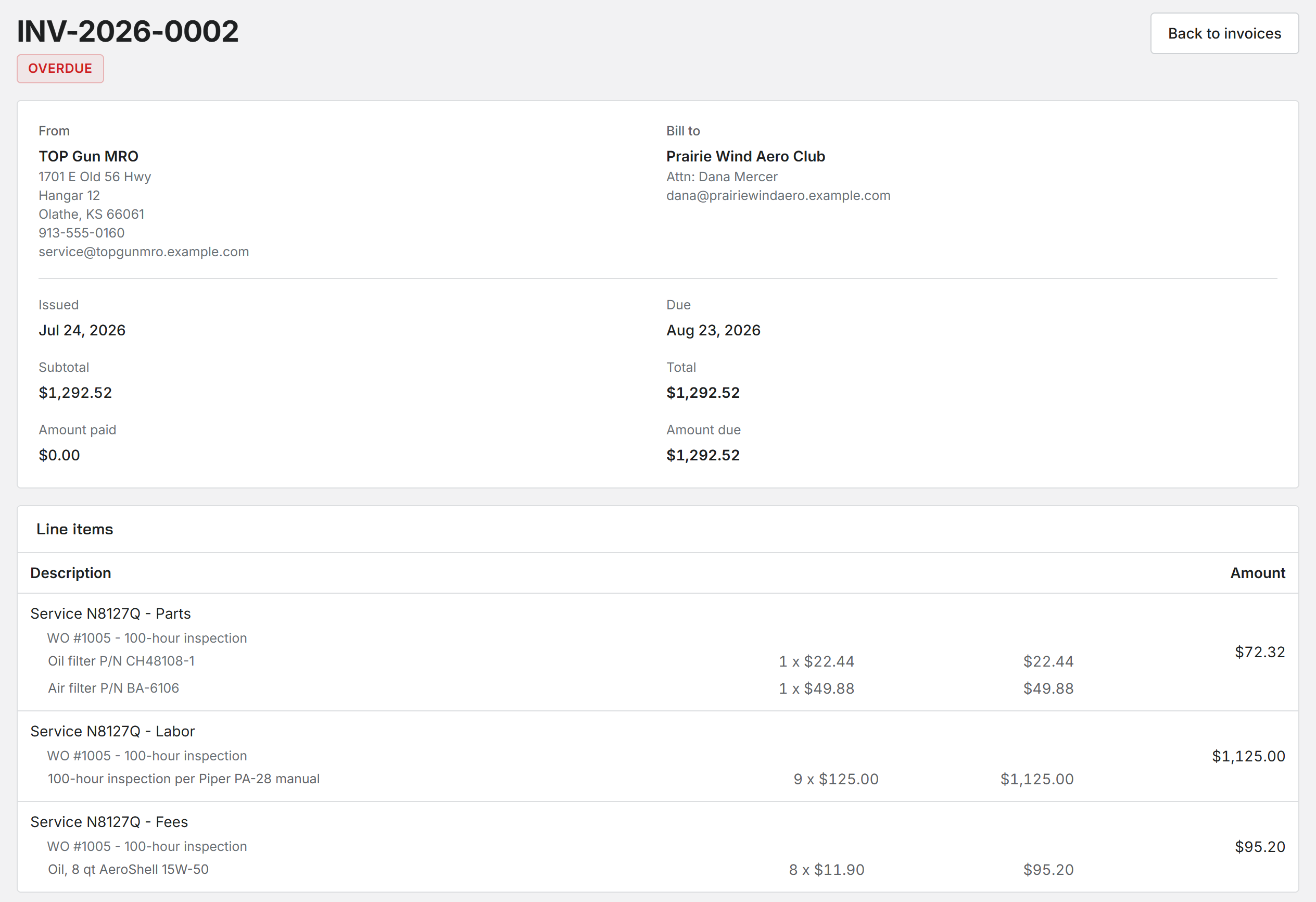
The invoice groups the charges by kind: parts, labor, and fees and other. Under each group you see the work order it came from and every line of it, with the part number, quantity and rate. The invoice page, the PDF and the email all show the same lines.
Sales tax shows under the label you set in Sales tax settings. A late fee the customer owes can ride along too, if your shop puts late fees on the next invoice.
Your letterhead and the customer
Your shop name, address, phone and email head every invoice, with your logo if you have uploaded one. They come from Shop details.
The customer is billed by name, or as their company with an Attn: line when they have a company on file. Which of their details print, and the terms, numbering and footer, are set in Shop settings under Invoicing.
Invoice numbering, terms, and statements
Aircraft with more than one owner
When a customer aircraft has several owners on record, the job's cost splits across them by their share. Each owner gets their own invoice, showing the job and their part of it.
A split job is billed from Invoices, one owner at a time, rather than from the work order.
Draft, then issued
A new invoice starts as a draft. Nothing reaches the customer while it is a draft, and Archive draft puts its charges back on the unbilled list if you are not ready to bill.
Issuing an invoice and getting paid online
Was this page helpful?
Can’t find what you need? Contact us - a real person reads every message.