

Estimates
Build and send an estimate
An estimate is a quote for work you have not taken yet. You build it, send it, and the customer answers from a link in their email.
Build it
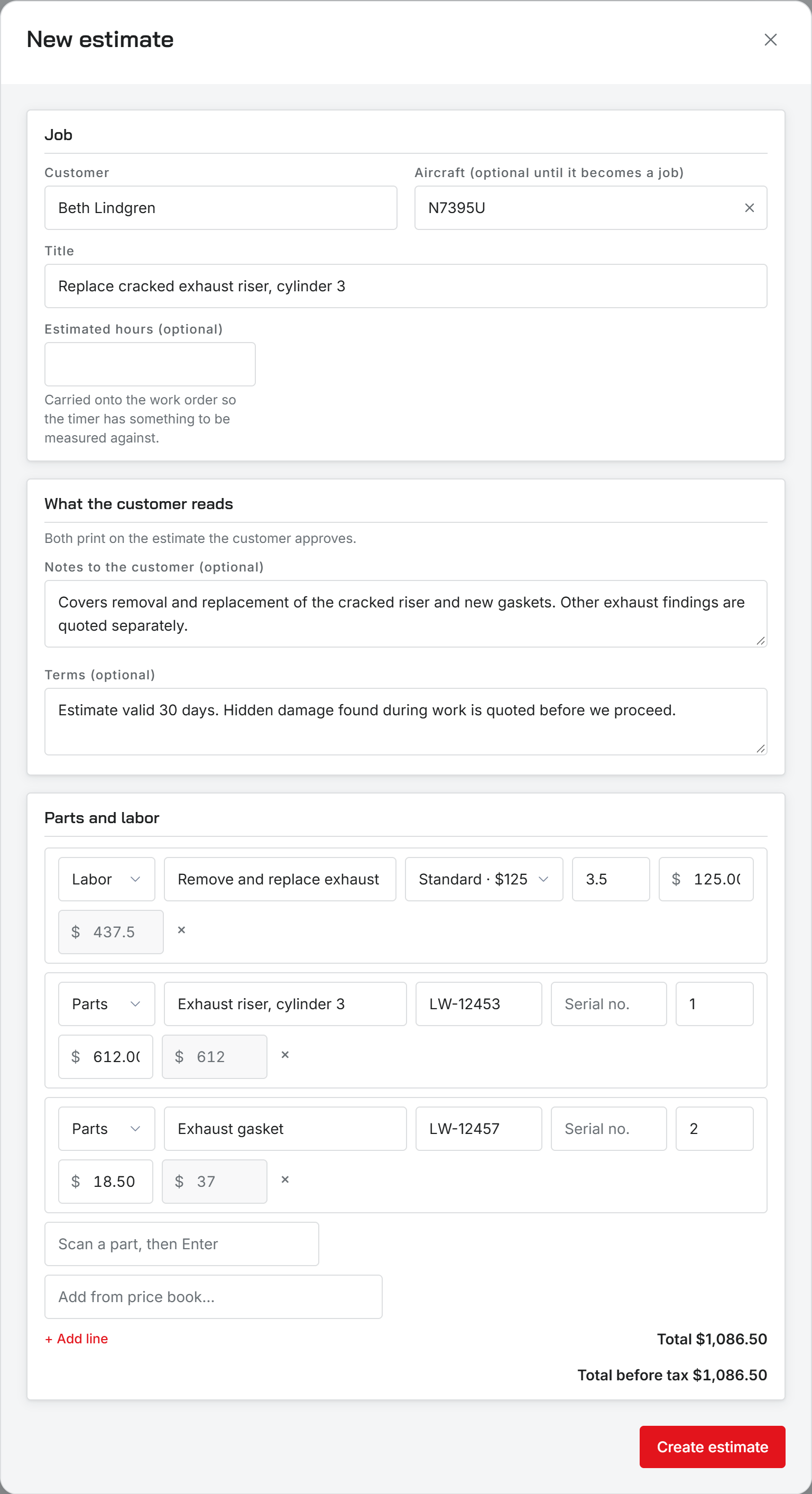
- Open Estimates in the sidebar and click + New estimate. New estimate on the dashboard does the same.
- Pick the Customer. You can add a new one from this field.
- Pick the Aircraft if you know it. It is optional until the estimate becomes a work order, and the list only shows that customer’s aircraft.
- Give it a Title, like Annual inspection.
- Add Estimated hours if you want the job’s timer measured against a number later.
- Write any Notes to the customer and Terms. Both print on the estimate, and both start from your shop’s defaults.
- Add the parts and labor lines, then click Create estimate.
The lines editor is the same one work orders use, with the price book, barcode scanning, and your automatic fees. Picking a price-book item that has hours adds them to Estimated hours.
The total shows before tax, and with tax when your shop charges it. Tax is recalculated each time you save.
Send it
Every estimate starts as a Draft. From its row menu, choose Send for approval. The customer gets an email from your shop with a Review and approve the estimate link.
The customer does not need an account. The link is the whole thing.
The link stays good for as long as Estimate valid for says in Shop settings, under Estimates and jobs. That is 30 days unless you change it.
If you turned off Email when an estimate is sent, the estimate is still marked sent but nothing is emailed. Use Copy approval link from the row menu and send it yourself.
Send again sends a fresh link. The old one stops working.
What stops a send
- The customer has no email address.
- The estimate has no lines.
Statuses
An estimate is Draft, Sent, Approved, Declined, or Work order once it has become a job. Under the status you see when it was sent, when it expires, and who approved or declined it. Only a draft can be deleted.
Was this page helpful?
Can’t find what you need? Contact us - a real person reads every message.