

Invoicing and payments
Recording a check or cash payment
When a customer pays you outside of Resyrv, by check, cash or anything else, record it so their invoice shows paid and their balance is right.
From an invoice
Open the invoice and choose Record payment. The amount starts at what is due on that invoice. The payment pays that invoice first, and anything over the amount due goes to the customer's other open items.
From a customer
On the customer's page, choose Record payment. With no invoice named, the payment clears the customer's oldest open invoice first, then the next.
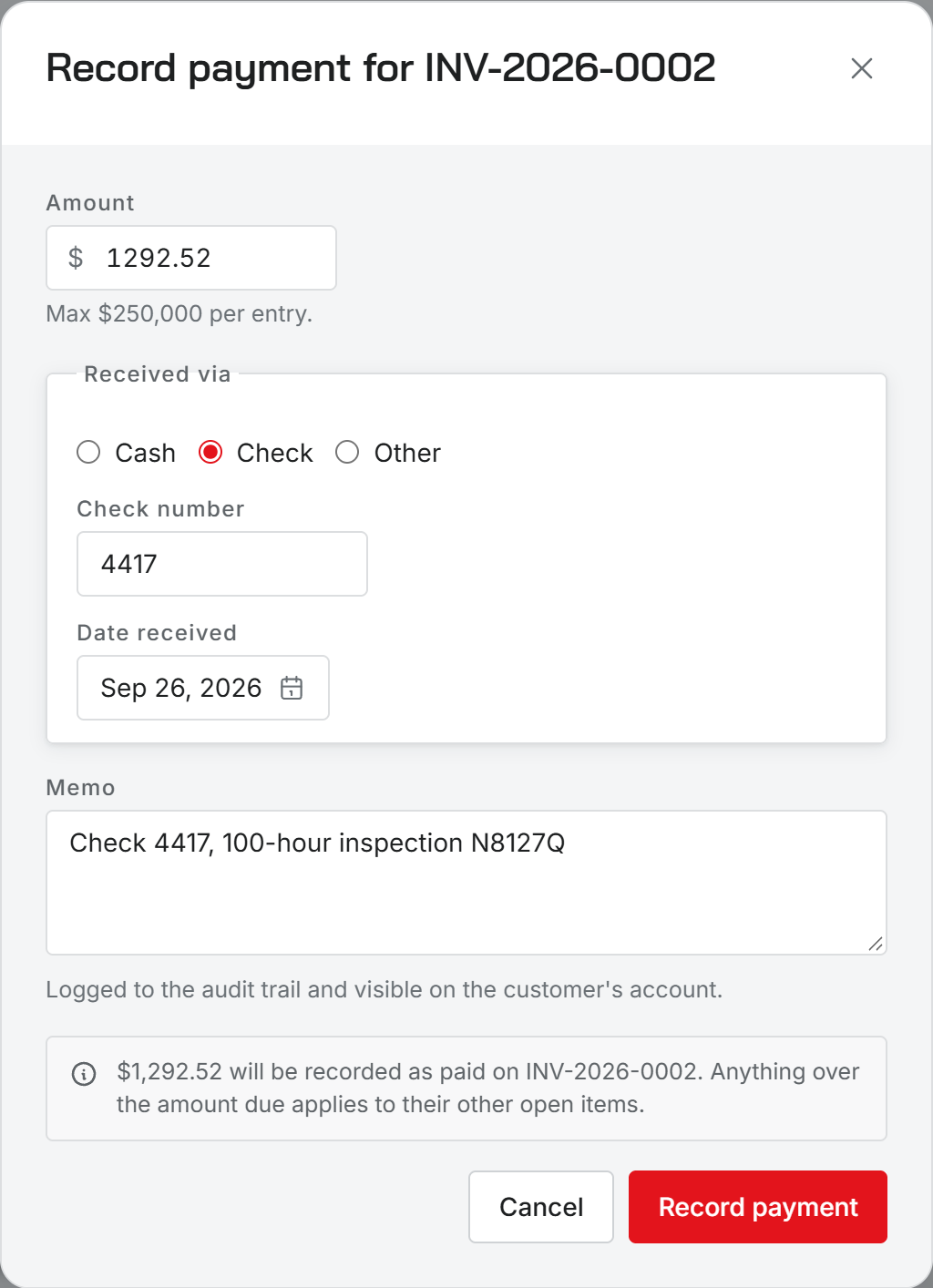
What to fill in
- Amount. Up to $250,000 in one entry. A larger payment goes in as more than one entry.
- Received via: Cash, Check, or Other. Check asks for the check number. Other asks for the method and a reference, such as a Venmo handle.
- Date received, which defaults to today.
- A memo saying what the payment is for. From an invoice it is filled in for you.
Choose Record payment to save it.
Who can record payments
Administrators and Office staff. Technicians and Inspectors do not see the button.
A recorded payment is money you say you received; Resyrv does not move it. Card and bank payments made through Pay online are recorded on their own, so do not record those again.
Was this page helpful?
Can’t find what you need? Contact us - a real person reads every message.