

Staff and roles
Controlling what technicians see
By default every technician sees every work order and every labor rate. You can narrow both, for the whole shop or for one person.
Who these settings apply to
Only Technicians. Administrators, Inspectors and Office staff always see every work order and every rate, whatever these settings say.
Shop defaults
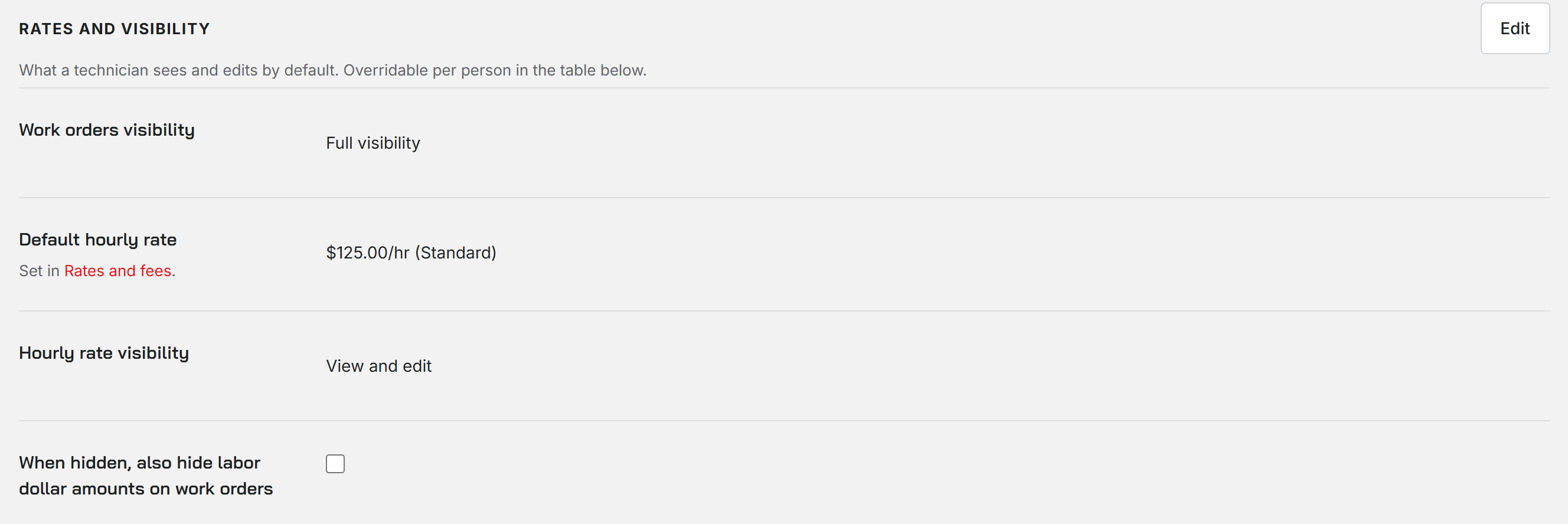
On the Staff page, the Users tab opens with Rates and visibility. Choose Edit, change the settings, and Save. Only an Administrator can change the defaults.
Work orders visibility decides which jobs a technician can see:
- Full visibility: every work order. This is the default.
- Only their assigned: jobs assigned to them.
- Assigned + unassigned: their jobs plus any job nobody has taken.
- Assigned + ones they created: their jobs plus jobs they opened.
A job outside a technician's view does not appear in their list, and a direct link to it does not open.
Hiding labor rates
Hourly rate visibility can be View and edit, View, or Hidden. Hidden is the one that changes what a technician sees: labor rates are blanked out on their time entries and wherever a rate is picked.
Tick When hidden, also hide labor dollar amounts on work orders to go further. A technician whose rate is hidden then sees no dollar amounts on labor lines and no billing on the job. Parts prices still show.
A technician who cannot see prices can still save a work order. Their save leaves the labor charges as they were.
Per person
The table on the Users tab has a Work orders column and a Rate visibility column for each person. Default follows the shop setting; anything else overrides it for that person alone.
Default hourly rate on the same card is read-only. It shows the shop's default labor rate, which you set in Shop settings under Rates and fees.
Was this page helpful?
Can’t find what you need? Contact us - a real person reads every message.