

Estimates
How the customer approves an estimate
The customer opens the link, reads the estimate, and approves or declines the whole thing. They type their name to sign. No account, no password.
What the customer sees
Your shop’s name and logo, the estimate number and title, the aircraft, your notes, every line with its quantity and price, the total, and your terms. Under the total it says this is an estimate and nothing is charged until the work is done.
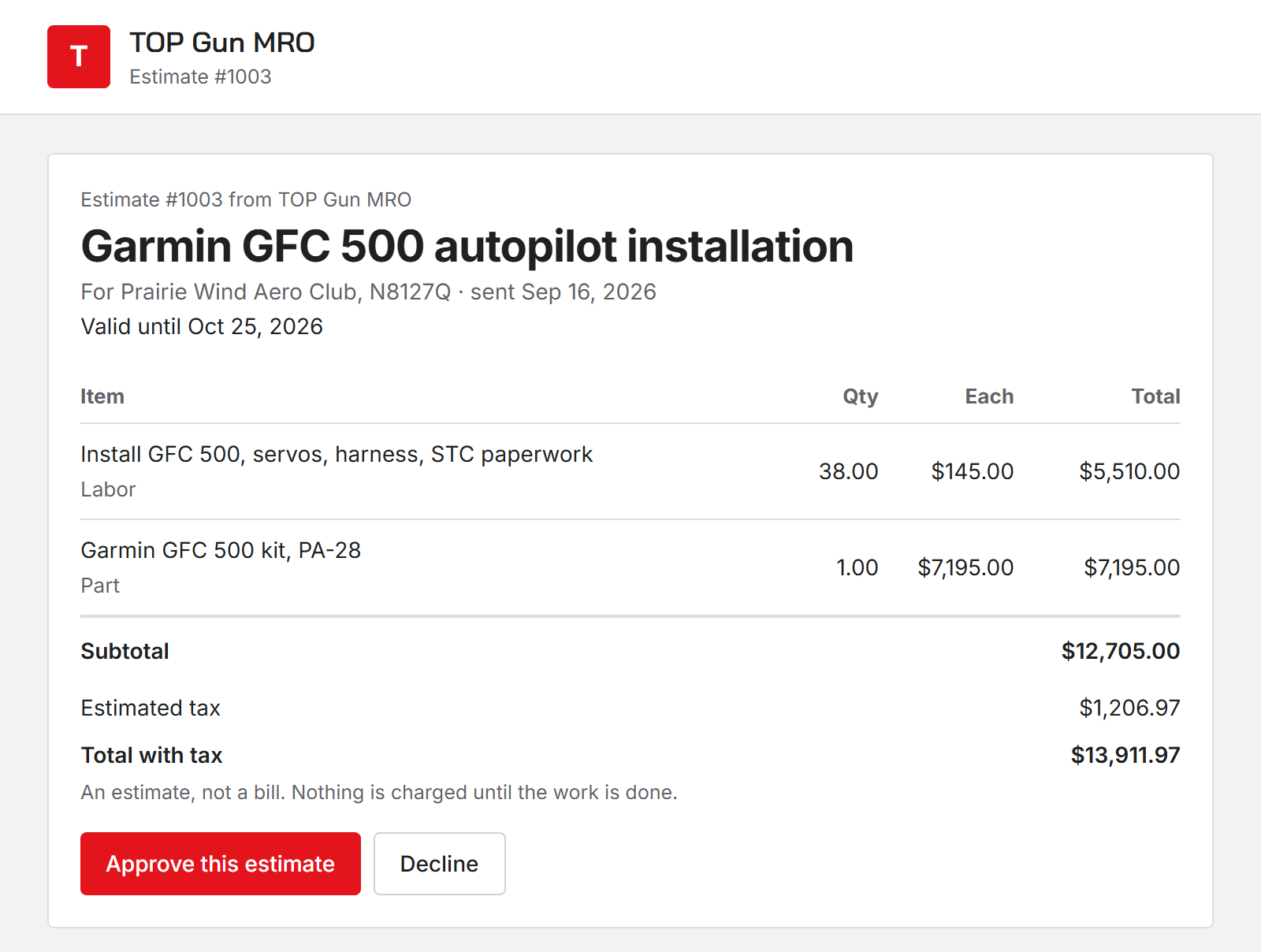
Approve or decline
They click Approve this estimate or Decline, type their name, and confirm. Declining also asks why. A sentence is enough, and the reason comes to you.
It is all or nothing. The customer cannot approve some lines and decline others. If they want part of the work, change the estimate and send it again.
After they answer, the link stays open as their record of what they decided and when.
What you see
You get a shop alert when the customer approves or declines, with the reason for a decline. The estimate’s row shows Approved by or Declined by with their name.
Answers by phone or at the counter
If the customer tells you in person, choose Record the customer’s answer from the estimate’s row menu. Pick Approved or Declined, fill in Who answered, like Ray Alderson, by phone, and give the reason for a decline.
When the link does not work
- It expired. The customer sees that the link has expired and should ask you to send it again.
- You edited the estimate or sent it again. The old link says it is no longer valid and to check email for the latest one.
- You removed the customer. Their links stop working.
Convert an estimate to a work order
Was this page helpful?
Can’t find what you need? Contact us - a real person reads every message.