

Shop settings
Labor rates, fees, and the price book
Rates and fees in Shop settings is where you decide what the shop charges: by the hour, by the part, as a fee on top, or as one flat price.
Labor rates
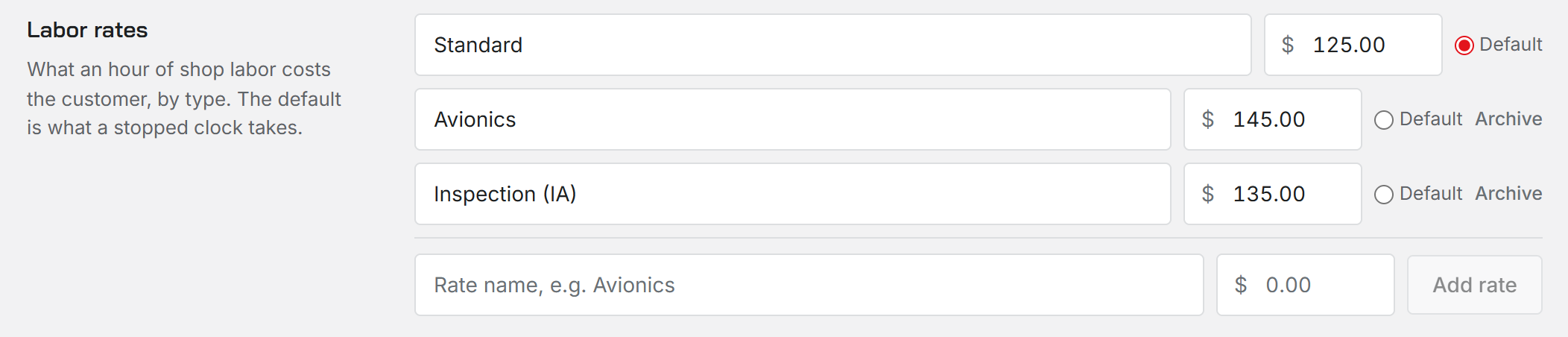
A shop can have several named labor rates, such as Standard, Avionics or Engine. Type a name and an hourly rate and choose Add rate. A rate at zero is marked Not priced yet.
One rate is the Default. A clock that stops takes the default rate, and every labor line can pick any rate you have. A technician with their own rate on the Staff page bills at that instead of the default.
Rates are archived, never deleted. Old work orders keep the rate they used; an archived rate is just no longer offered on new work. The default rate cannot be archived until another rate is the default.
Time rules
Round clocked time up to rounds each stopped clock up to the step you pick, from exact minutes to 60 minutes. Minimum billed sets the least a clock can bill: none, 15, 30 or 60 minutes.
These apply when a clock stops. Whoever signs the job can still change the hours at sign-off.
Parts markup
Parts markup is the shop default percent added to a part's cost when it goes on a job. A part with its own markup uses that instead. Leave it blank to bill parts at cost.
Price book
The price book holds flat-rate jobs with one price the customer sees up front, such as an oil change or an annual. Add a name and a price. Hours is optional and only for your planning; it does not change the price.
On a work order or an estimate, Add from price book puts the item on as a single line at its price, which the office can still edit.
Fees
Fees are extra charges such as shop supplies or hazmat. A fee is either Percent of labor, figured on the job's labor subtotal and optionally capped at a dollar amount, or Flat amount, a fixed charge with no cap.
Apply to every job adds the fee to each new estimate and work order on its own. It can still be removed from any one job. A percent fee is figured when the job is created and again when it is completed, so it follows the labor that was actually done.
Archiving a fee stops it being added to new work. Jobs that already carry it keep it.
Who can change these
Only an Administrator. Everyone else sees the settings read-only.
Was this page helpful?
Can’t find what you need? Contact us - a real person reads every message.