

Getting started
Your shop dashboard
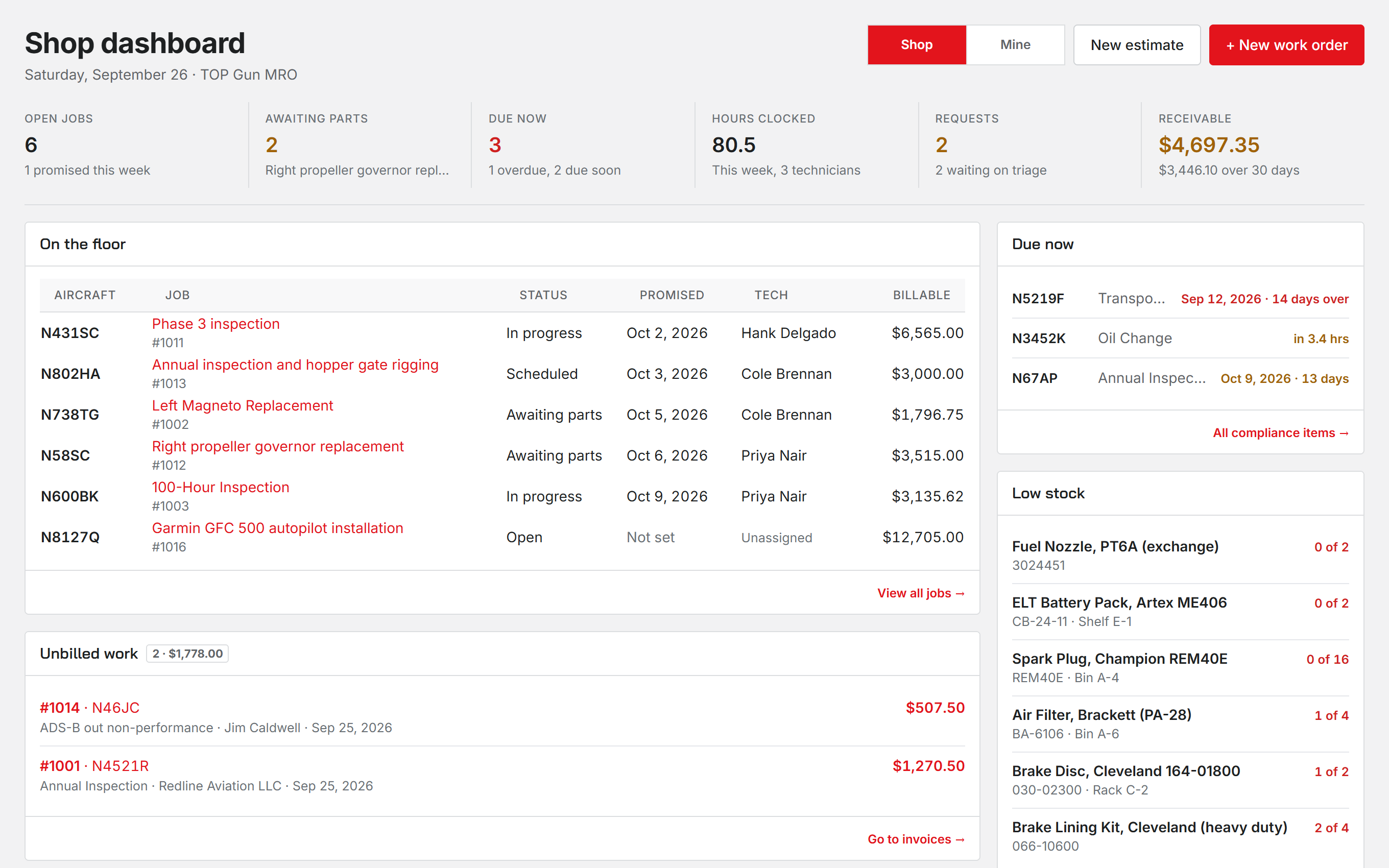
Dashboard is the first entry in the sidebar and the page you land on. It answers what is on the floor right now and what needs you.
Shop and Mine
The switch at the top of the page picks the scope. Shop shows the whole floor. Mine shows only the jobs assigned to you. Whoever manages staff starts on Shop and everyone else starts on Mine, and your browser remembers the choice.
What is on it
- On the floor, or On your bench under Mine: the active work orders.
- Unbilled work: completed jobs that have not been invoiced yet. Only people who handle invoices see this card.
- Due now: compliance items that are overdue or coming due on the aircraft you service.
- Low stock: parts with fewer on hand than their minimum. A part with no minimum set never shows here.
New estimate and + New work order sit in the page header, each shown only to people allowed to create one.
Your running clock
When your own work timer is running, On the clock appears at the top with the work order and the time so far. You can stop it from there. Stopping asks what you worked on, and Stop stays grey until you write something.
Was this page helpful?
Can’t find what you need? Contact us - a real person reads every message.