

Shop settings
Automations and procedures
Procedures and Automations sit under Set up once in the sidebar. A procedure is a checklist your technicians work down. An automation watches for something and acts on it.
Procedures
A procedure is the checklist for how a job is actually done: the steps of a 100-hour, an annual, an oil change. Choose New procedure, give it a name and an optional description, and add the steps in order.
Each step is either Pass / fail or a Reading with a unit, such as psi. Tick Photo required on a step that needs a picture, and add a note to the technician if it helps. Steps can be moved up and down.
Attach a procedure to a work order from the job and work down it there. A step that fails opens a squawk on the job.
Inspectors and Administrators write procedures. Technicians use them on jobs.
Automations
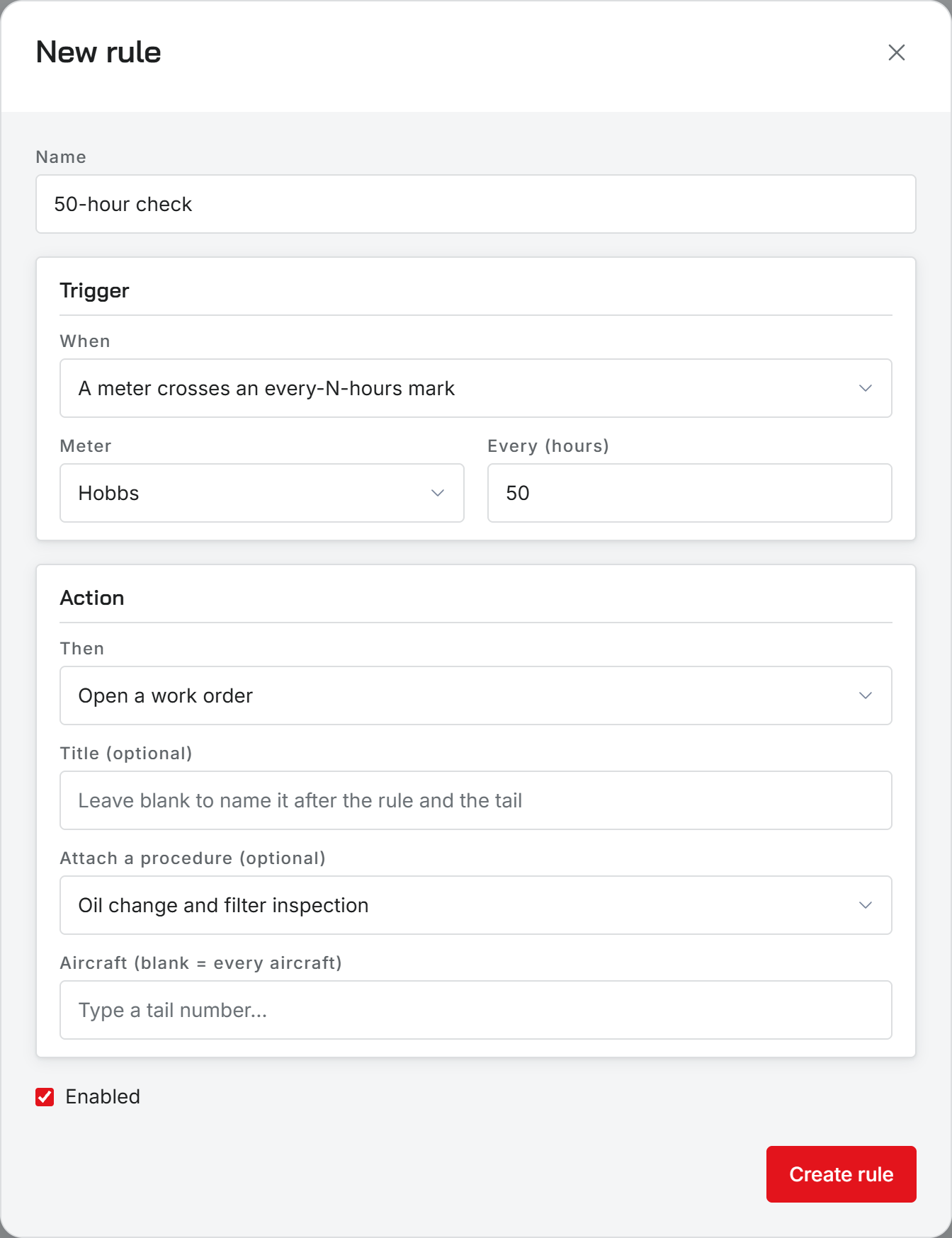
An automation is a rule: when something happens, do something. Choose New rule, name it, then pick the trigger:
- A meter crosses an every-N-hours mark, on Hobbs or tach, every so many hours.
- An inspection item comes due.
- An airworthiness directive comes due.
- A part drops below its minimum.
- An estimate goes unanswered, after a number of days you choose.
Then pick the action: Open a work order, with an optional title and an optional procedure attached, Open a request (squawk), or Notify the maintenance recipients. A rule can cover one aircraft or, left blank, every aircraft.
A low part and an unanswered estimate have no aircraft to open a job on, so those two rules can only notify.
When rules run
Rules run every hour. Run now runs them at once. Each state fires once: a tach reading that arrives twice cannot open two work orders, and a due item that stays due is not reported every hour.
The Last run column shows what each rule did most recently and how many times it has fired. A rule that is switched off stays on the list, greyed out.
Notify goes to whoever is set to hear Maintenance coming due in Shop alerts. If nobody is, the rule has no one to tell, and its last run says so.
Automations never ground an aircraft. That decision stays with a person.
Customer emails and shop alerts
Who can set them up
Inspectors and Administrators. Other staff see a note that automations are set up by an inspector or administrator.
Was this page helpful?
Can’t find what you need? Contact us - a real person reads every message.