

Invoicing and payments
Late fees
Late fees are off until you turn them on. Once on, Resyrv checks every night for invoices past due and adds the fee you set.
Turning them on
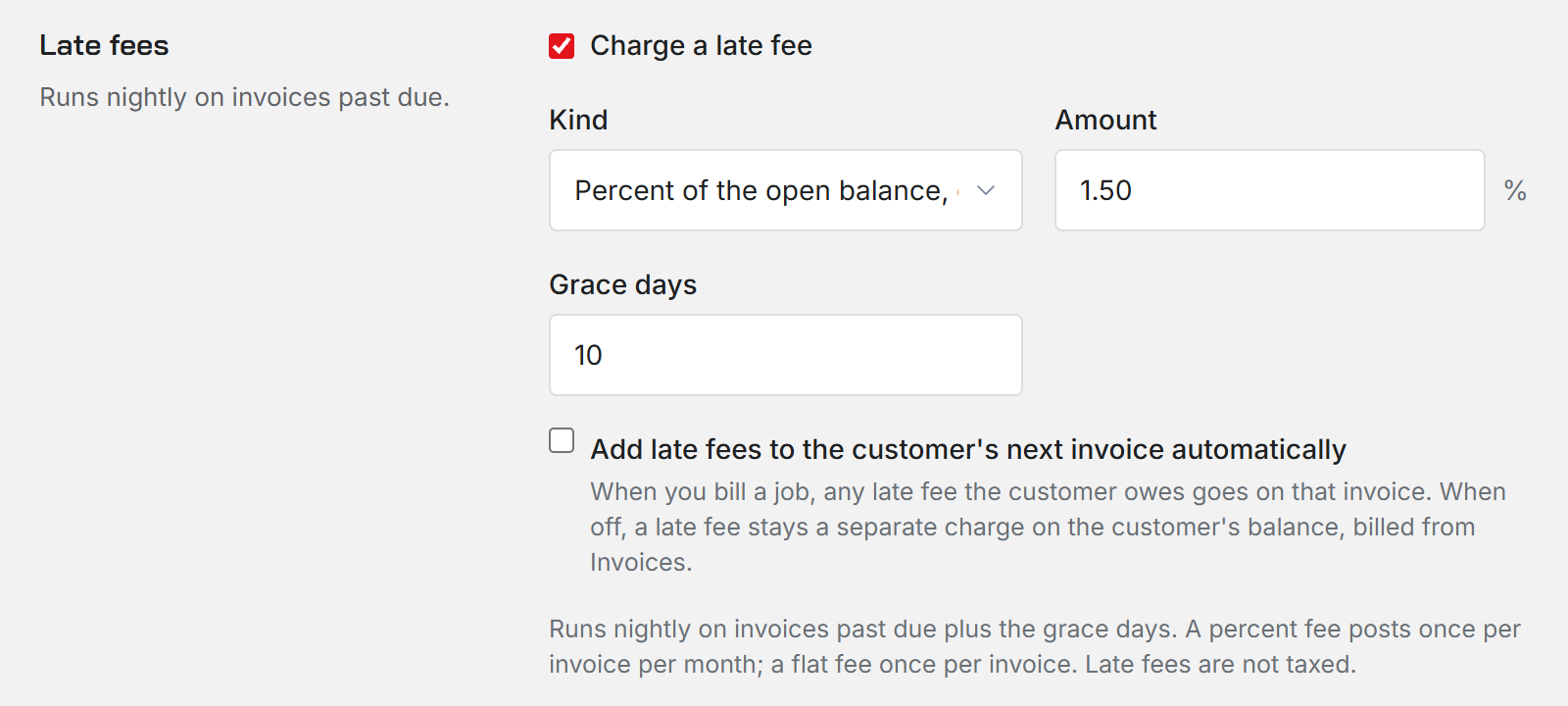
In Shop settings, open Estimates and jobs and find Late fees. Tick Charge a late fee, then choose a kind and an amount.
- Percent of the open balance, each month. Posts at most once per invoice per month.
- Flat amount, once. Posts one time per invoice.
Grace days, from 0 to 90, is how long after the due date Resyrv waits before charging. Changing the kind clears the amount, because a percent and a dollar figure mean different things.
Where the fee lands
By default a late fee is its own charge on the customer's balance, and you bill it from Invoices when you choose.
Tick Add late fees to the customer's next invoice automatically and any late fee the customer owes goes on the next job you bill for them. An invoice that is already issued never takes a new line, so the fee always waits for the next one.
Limits
Late fees are not taxed. Only an Administrator can change these settings.
Was this page helpful?
Can’t find what you need? Contact us - a real person reads every message.