

Shop settings
Customer emails and shop alerts
Two sections of Shop settings cover email. Emails is what your customers receive. Shop alerts is what your own staff hear about.
Which emails customers get
Under Emails, Customer emails has five switches, all on to start:
- Email when an estimate is sent
- Email when a job is completed
- Email when an invoice is sent
- Email a payment receipt
- Email payment reminders
Off means Resyrv does not send that email on its own. Nothing else changes: an invoice is still issued, and the office can still send things by hand.
Changing the wording
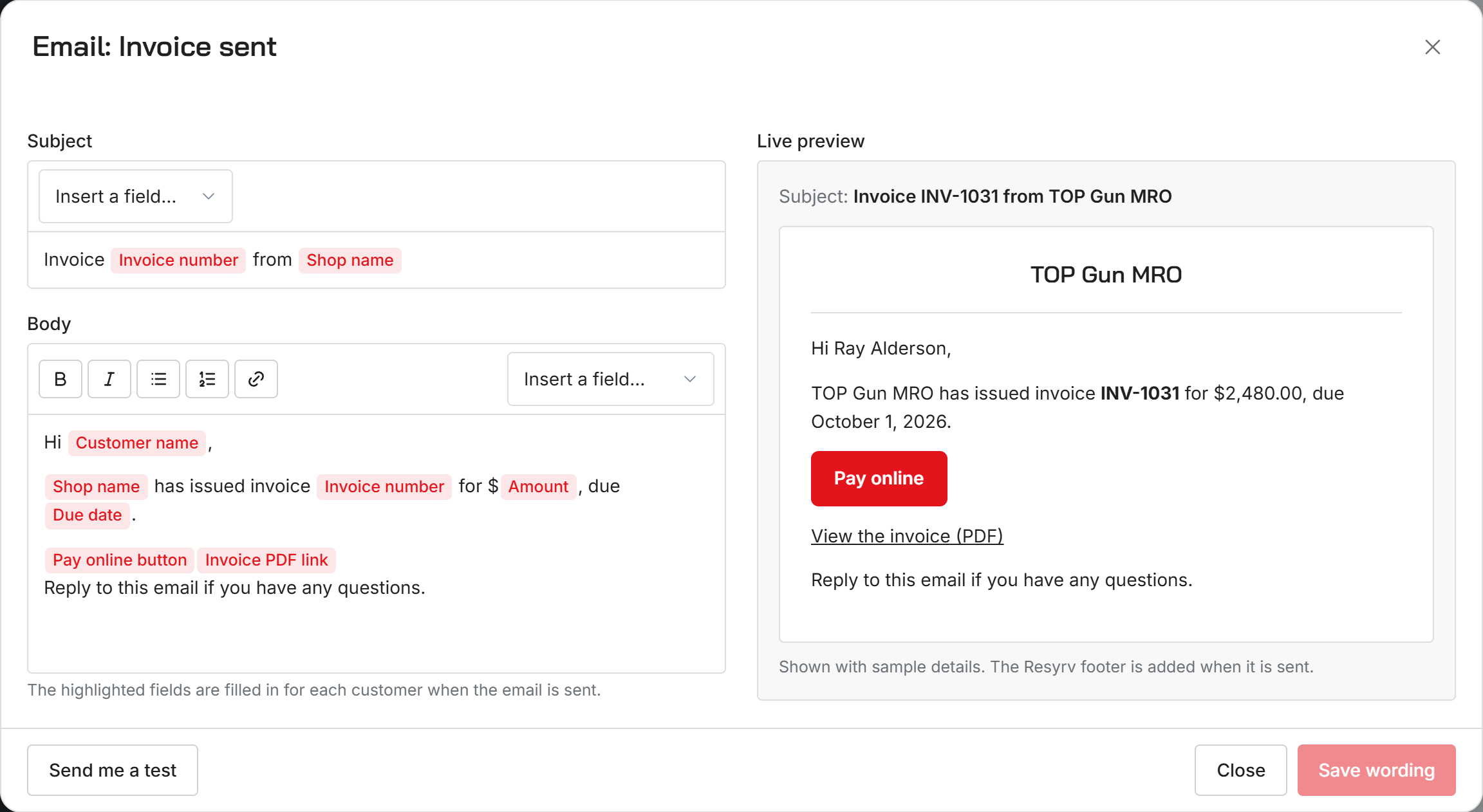
Email wording lists the same five emails: Estimate sent, Job completed, Invoice sent, Payment receipt and Payment reminder. Choose Edit on one to open it beside a live preview of what the customer will see.
Change the subject and the body as plain writing. Details that change per email, such as the customer's name, go in from Insert a field and show as highlighted labels. A small toolbar handles bold, lists and links.
Choose Save wording, then Send me a test to get the saved version in your own inbox. An email you have changed is marked Custom, and Reset to the Resyrv wording puts it back.
Shop alerts
Shop alerts decides who on your staff hears about each event, by email and in the app. The events include:
- Customer request received
- Estimate approved or declined
- Invoice paid
- Invoice is badly overdue
- Maintenance coming due
The first three go to the owner and Administrators to start. Maintenance coming due also reaches Inspectors, and it is who an automation notifies.
A person who turns Maintenance emails off in their own profile stops getting these by email. The notification in the app still arrives.
Who can change these
Only an Administrator.
Was this page helpful?
Can’t find what you need? Contact us - a real person reads every message.