

Scheduling
The Checkouts Page
Once checkout gates are on, the Checkouts page answers “who is cleared on what” for the whole fleet at once.
One page for the whole fleet
The Checkouts page lists every recorded checkout in the organization: member, aircraft, who recorded it, and when. Search by member or aircraft to answer the front-desk question in one keystroke, and jump from any row to that member’s Aircraft tab for the full picture.
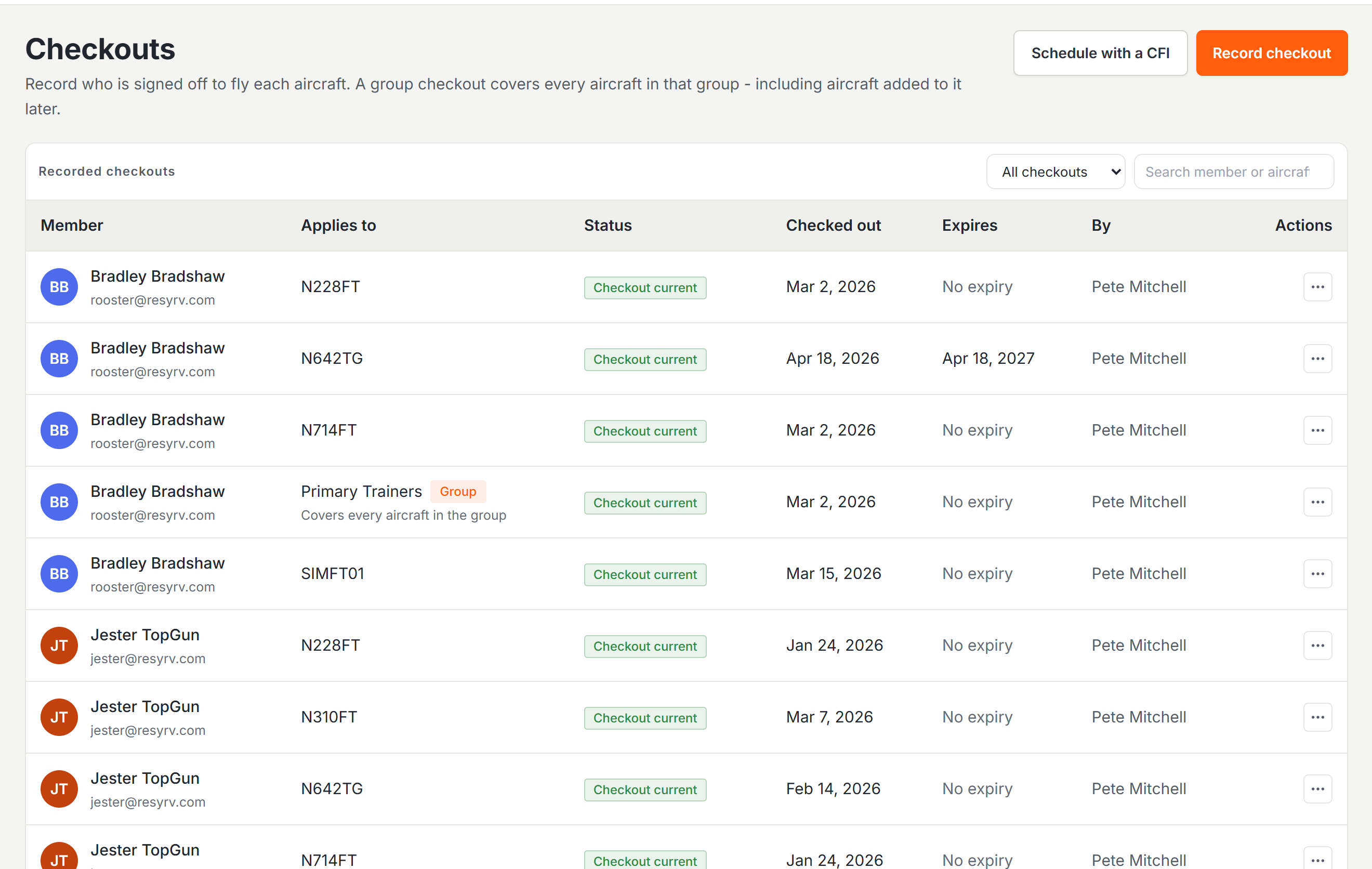
Group checkouts
When several aircraft are interchangeable - four identical trainers, say - checking a member out on each tail separately is busywork. Record the checkout against the aircraft group instead, and it clears the member on every aircraft in the group, including tails added to the group later. The page’s kind filter separates per-aircraft checkouts from group ones.
Aircraft Groupsdefining the sets of interchangeable tails.
What members see
A member looking at an aircraft they are not yet checked out on is prompted to schedule with an instructor, which books the checkout flight through the normal lesson flow. When the instructor records the checkout afterward, the gate opens on its own.
Who can record
Recording checkouts has its own permission, separate from general aircraft management, and is typically granted to instructors and the front desk. Holding it also grants the Checkouts page itself.
Was this page helpful?
Can’t find what you need? Contact us - a real person reads every message.