

Billing & Cost Sharing
Sales Tax
Where flying is taxed, Resyrv applies the right rate per charge category automatically, configured once and applied to every posting.
Turning tax on
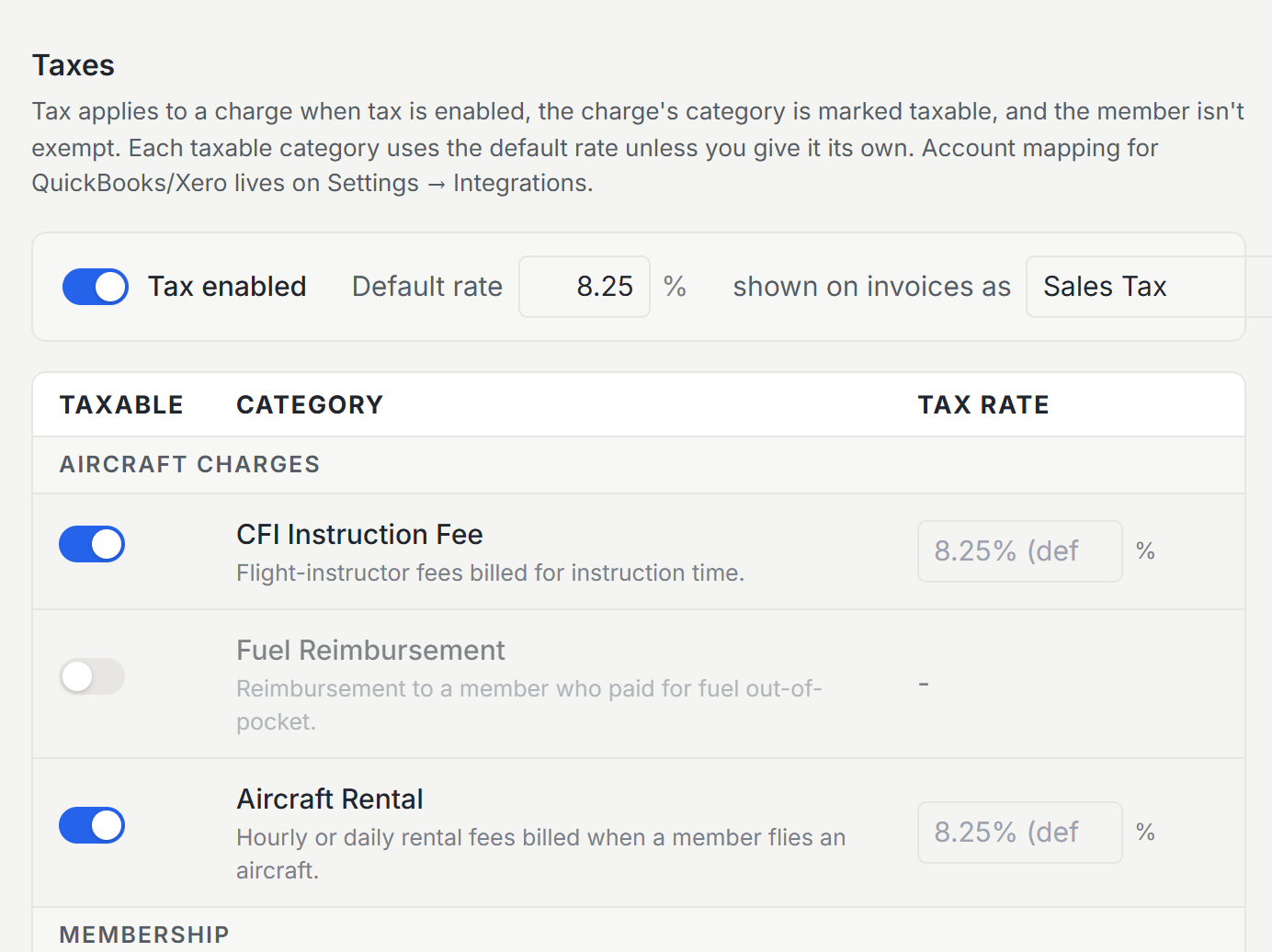
Settings has a dedicated Taxes page, behind its own tax permission. Enable tax, set your default rate, and name the label that appears on documents: “Sales Tax”, “GST”, or whatever your jurisdiction calls it.
Per-category control
Below the default sits one flat table with a row per charge category: rental, dues, fuel, instruction, and the rest. Each row has a taxable toggle and an optional rate: leave the rate blank and the organization default applies, type one and that category gets its own. Aircraft rental taxed at one rate, instruction exempt, merch at another, all expressible in one screen.
Member exemptions
A member can be marked tax-exempt (a reseller, a government operator), and postings for them skip tax while everyone else’s carry it. The exemption is snapshotted on each entry, so later changes never rewrite what was charged.
Where tax shows up
Tax is computed when a charge posts and rides with the entry from then on, through invoices, statements, the sales-tax report for filing time, and accounting sync, where tax pickers line Resyrv up with the tax codes in your books.
Was this page helpful?
Can’t find what you need? Contact us - a real person reads every message.