

Flying & Logbook
Logging Flights
Logging a flight turns a reservation into a real, billable event. You record the meters, and Resyrv does the arithmetic and the billing.
What a flight record captures
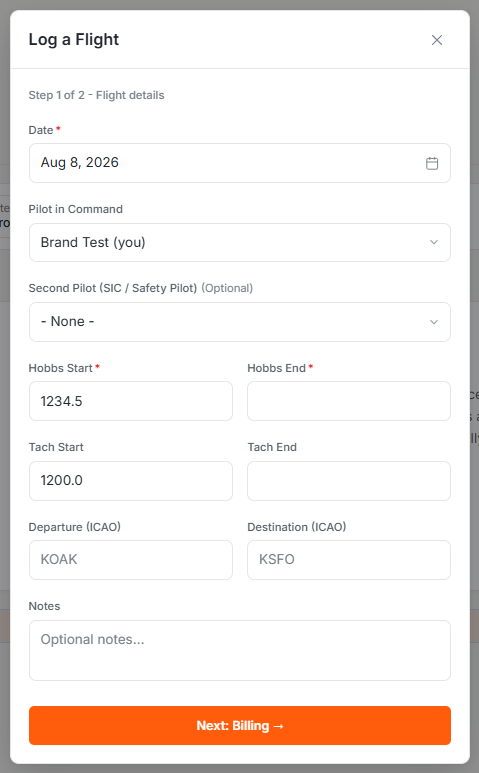
A flight is recorded against an aircraft on a date with its meter readings. You enter the start and end for whichever meters your aircraft uses:
- Hobbs start and end - the reading most groups bill from.
- Tach start and end - used when an aircraft bills on tach time, with a second tach for twins that track each engine.
- The pilot who flew, defaulting to you, plus an optional second pilot when the seat was shared.
The ending reading has to be greater than the start, so a typo that would post a negative or zero-hour flight is rejected before it can reach the ledger.
Who can log
Logging is gated by the flights permission, so the Flights area is available to owners, admins, managers, staff, and instructors rather than every member. Within it, the create and edit actions are separately controlled, which lets you give someone read access to the flight log without letting them post new flights.
From flight to charge
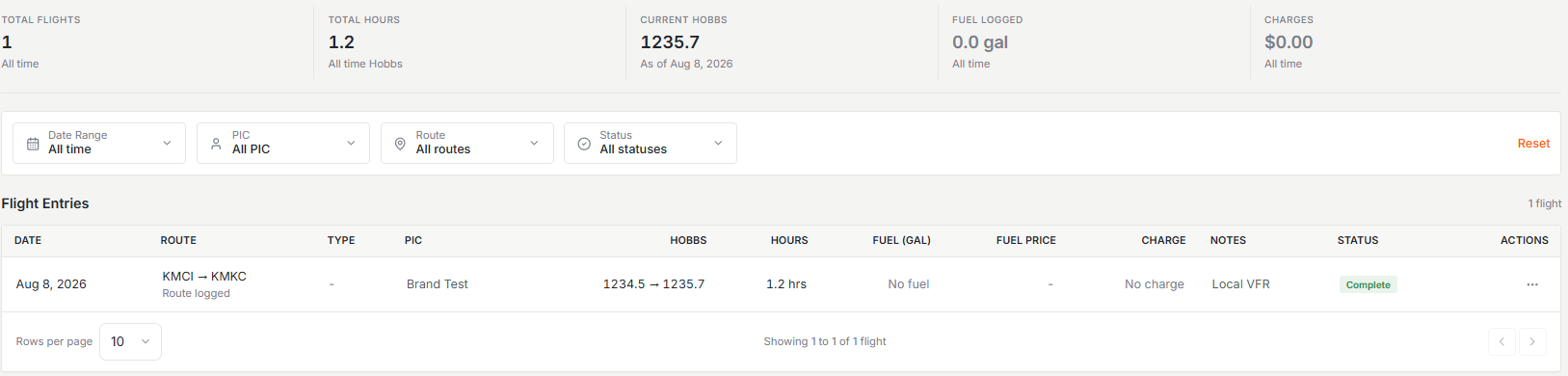
When a flight is saved, Resyrv computes the billable time from the meter the aircraft is configured to bill on and posts the hourly charge to the pilot’s ledger at that aircraft’s rate. There’s no separate “bill this flight” step. Logging the flight bills it.
On dry-rate aircraft the hourly charge covers the aircraft only; fuel is handled separately as a reimbursement. On wet-rate aircraft fuel is already in the hourly price.
Backdated and non-billable flights
A backdated flight whose starting reading doesn’t match the aircraft’s current meters asks you to confirm the mismatch rather than refusing outright. The aircraft’s meters only ever move forward, so an old entry never rewinds them. A flight can also be logged with billing skipped, for historical records, comp flights, and anything else that belongs in the log but not on a ledger.
Correcting a flight
A flight’s non-financial details - the date, route, pilot, second pilot, notes, and oil - stay editable after the fact. The meter and fuel figures lock the moment the flight is saved, even on a flight that skipped billing, because the ledger behind them is append-only and never rewrites financial history.
To fix a wrong meter entry, delete the flight and re-log it with the correct readings, confirming the meter mismatch on the way in, and skipping billing if the charge shouldn’t post twice. Deleting a flight removes it from the aircraft log and re-syncs the Hobbs, but any charges it already posted stay on the ledger as history; square the money side with a ledger adjustment, covered in Fixing Billing Mistakes.
Fixing Billing Mistakessquaring the money side of a deleted flight.
Was this page helpful?
Can’t find what you need? Contact us - a real person reads every message.