

Billing & Cost Sharing
Fixing Billing Mistakes
The ledger is append-only, so nothing is ever erased or rewritten. Mistakes get fixed the way an accountant fixes them, with a correcting entry that leaves the trail intact.
Why nothing is deleted
Every charge, payment, and credit stays on the ledger forever, exactly as it posted. Anyone can trace how a number came to be, and no quiet edit can make history disagree with the bank. A correction is always a new entry that puts the balance right.
The manual entry
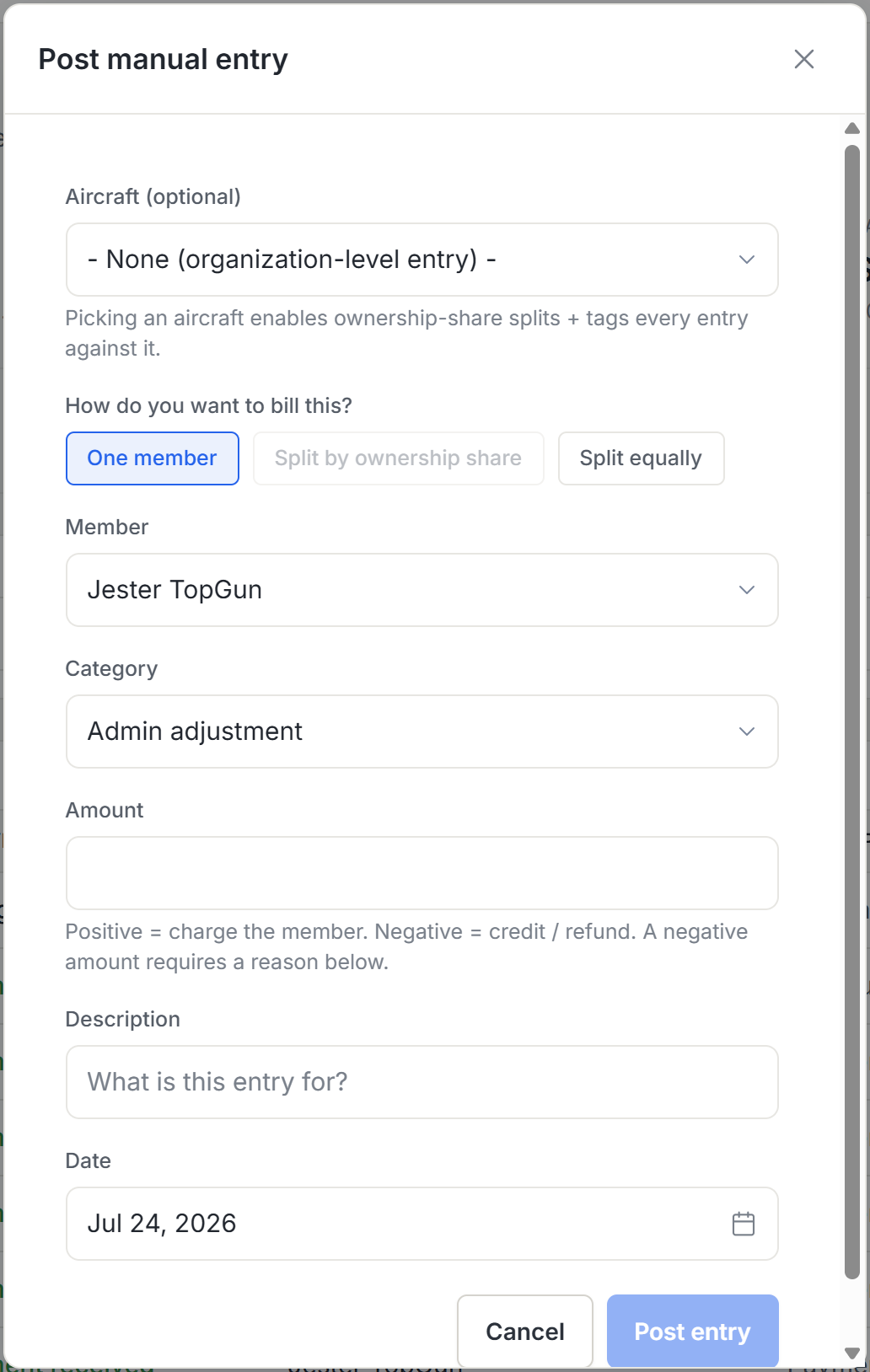
Admins with the manual-entry permission can post a charge or a credit to any member’s ledger: pick the category, the amount, a date, and a description that says why. A wrong charge gets an equal-and-opposite credit; an undercharge gets a follow-up charge. Credits require a stated reason, and tax is computed per category automatically, so a correction carries the same tax treatment the original did.
Splitting a correction
A manual entry doesn’t have to land on one person. Split it across an aircraft’s partners by ownership share (each row pre-filled and adjustable), or equally across any set of members, with the penny remainder handled for you. Useful when an annual or an unexpected bill belongs to the partnership, not a pilot.
Quick credits
For the common case (“just put fifty dollars on their account”), the member’s ledger page has a direct add-credit action for admins who manage the financial log. Enter an amount and a memo.
Choosing between a refund and a credit
If the money needs to leave the system, that’s a refund against the original payment. See Payments & Refunds for destinations. If the member keeps flying with you, an account credit is simpler, because the value stays on their ledger and spends against future charges.
Payments & Refundswhere a refund can be sent.
Voiding a service event
A maintenance service posted against the wrong tail, or the wrong member, gets voided rather than edited. Open the service event and void it with a reason. Every charge it posted is reversed at the same tax treatment, any invoice it touched stops billing the old amount, and money drawn from a reserve fund goes back to the fund. The record stays in the history, marked voided and read-only. There’s no un-void. To correct the work itself, log a replacement service event.
Correcting flight charges
A flight’s meter figures are locked once posted, so a mis-entered flight is corrected by deleting and re-logging it, which puts the aircraft log right. The money side is squared here with an offsetting entry. The details live in Logging Flights, under Correcting a flight.
Logging Flightscorrecting a flight, step by step.
Was this page helpful?
Can’t find what you need? Contact us - a real person reads every message.