

Training
My Training (for students)
My Training is the student’s side of everything the school records. It opens with the stage you are working through and the lesson you do next.
Students reach it from their own menu. It needs no permissions, because it only ever shows the student their own training.
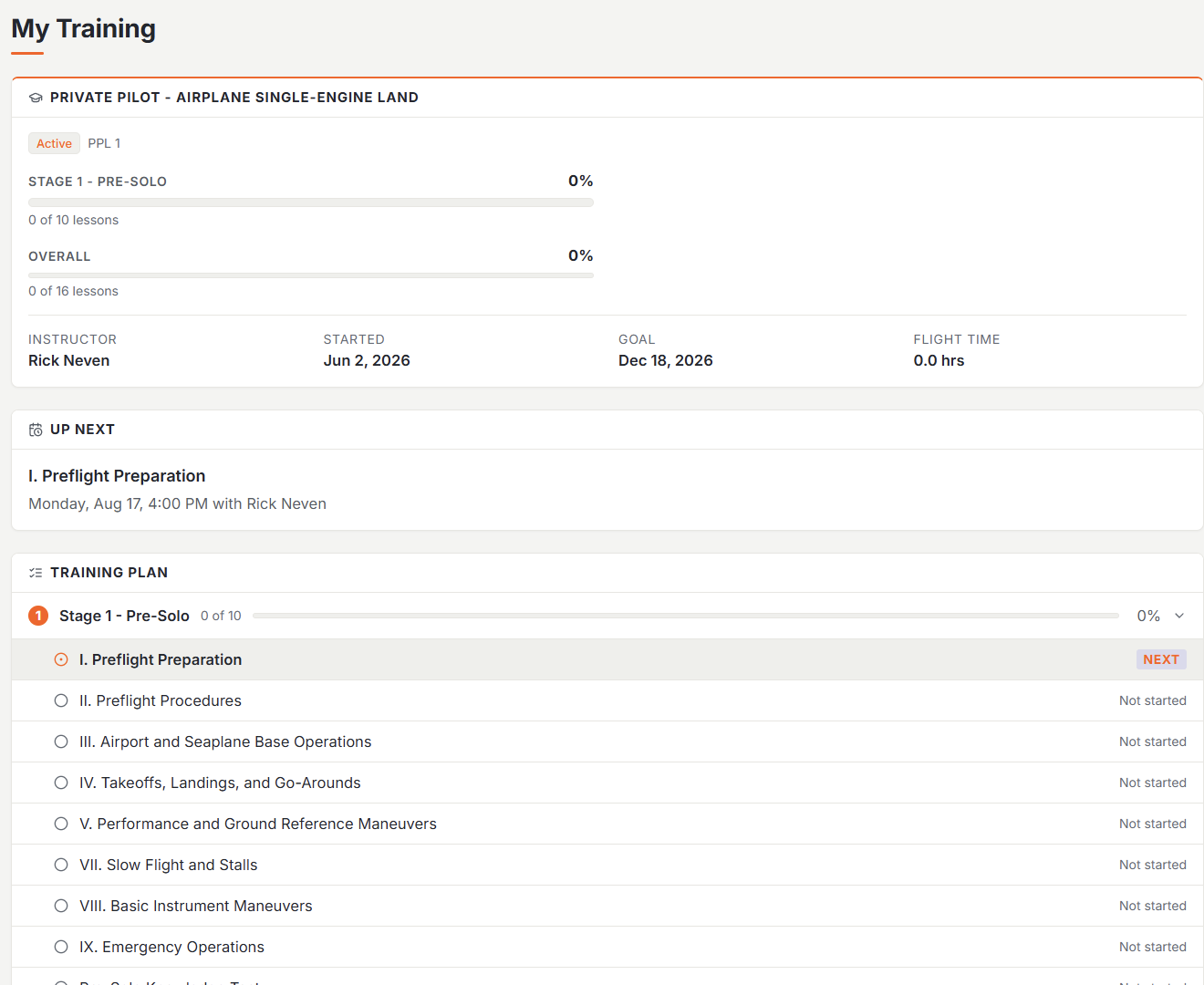
Where you are right now
The top of the page is the summary. It carries the stage you’re working through with its own progress bar, your overall progress through the course beneath it, and beside them when you started, your target completion date, and your flight hours so far. Your instructor appears there too, as soon as you have a lesson booked with one or a graded record from one.
Up next
One card names the single lesson you do next, taken from your position in the syllabus. If it’s already booked, the card shows the lesson and its booked time together.
Your training plan
Below that is the whole course, stage by stage. Open a stage to see every lesson in it and where each one stands: passed, incomplete, waiting to be graded, scheduled, or not started yet. A passed lesson keeps a green check, so the further you get the more of the page fills in behind you. The stage you’re currently in opens by itself.
Stages you haven’t reached are shown but locked.
Course requirements
If your program defines required hours, a Course Requirements section shows your confirmed hours against each one: total time, dual, solo, cross-country, night, and the rest. The hours come from your own logbook entries, so anything still sitting as a draft doesn’t count yet. The full lesson-by-lesson grid is one click away for anyone who wants the detail.
Your records
Every graded lesson your instructor has submitted appears in your records, with the grade and the instructor’s notes, and you acknowledge each one from here. Skill areas summarize how you’re doing across the competencies your syllabus grades.
Why a section is missing
Empty sections are hidden. A brand-new student sees a short page with their stage, their next lesson, and their plan; records, skill areas, pace, and requirements each show up as soon as there’s something in them.
Was this page helpful?
Can’t find what you need? Contact us - a real person reads every message.