

Maintenance
Maintenance Tracking
Intervals count down automatically as the fleet flies, and everything from squawk to signoff leaves a record.
Where maintenance lives
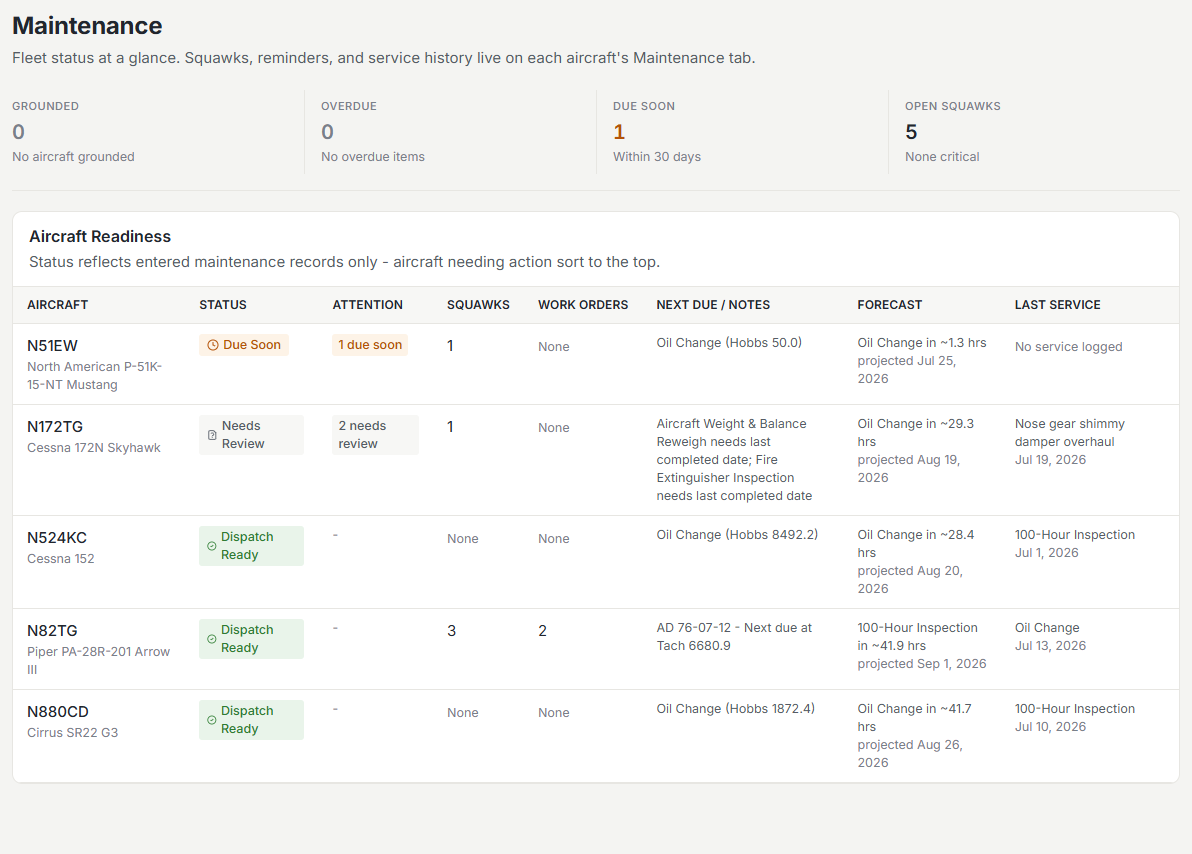
Each aircraft’s Maintenance tab is the home for that aircraft: what is due, its service records, open work orders, and squawks. The fleet-wide Maintenance board rolls every aircraft into one triage view with counters for grounded aircraft, overdue items, items due soon, and open squawks.
Maintenance items and intervals
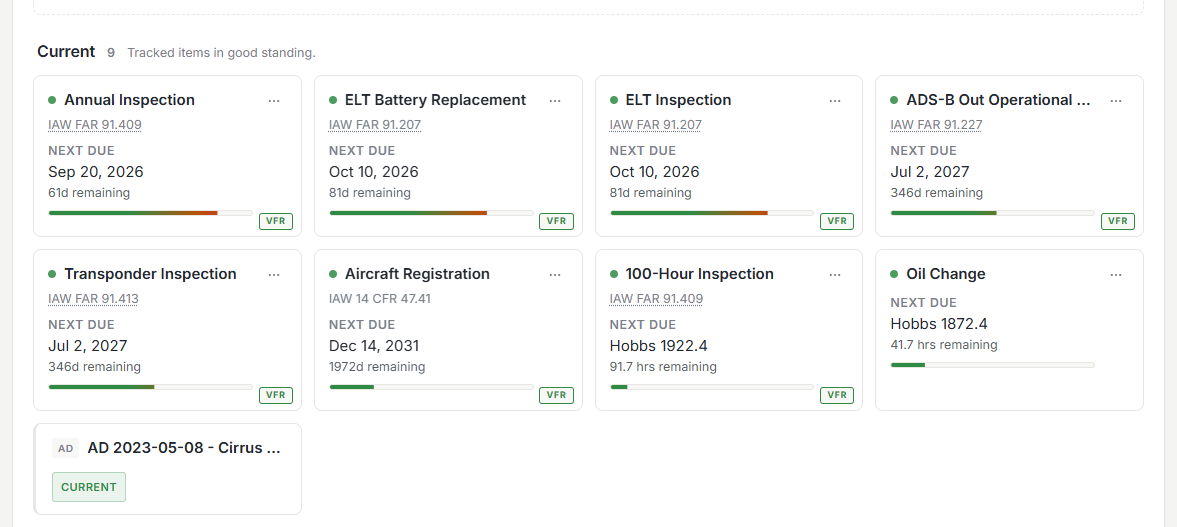
Set up each recurring item (annual inspection, oil change, transponder cert, ELT battery) with an hour-based interval, a calendar interval, or both. As logged flights advance the Hobbs and tach meters, remaining hours and days count down automatically and items surface on the due list as they approach.
Work orders
When something needs fixing, open a work order. It collects the squawks and compliance items being addressed, carries the parts and labor, holds the aircraft’s downtime on the calendar, and ends in a signed return to service that writes the service record.
Work Ordersthe full flow, from opening one to signing it off.
Airworthiness directives
AD compliance is tracked per aircraft alongside routine items, and recording compliance requires a maintenance signoff, so the record names who attested to it.
New directives arrive on their own. Every night Resyrv reads the Federal Register, where the FAA publishes every AD, and matches each new one against the make, model, and engine of the aircraft you maintain. A match appears on the aircraft as Needs Review, marked From FAA, with a link to the full text, and the maintenance audience set in Notifications is told. The aircraft is not grounded or changed until someone reads the AD and marks it applicable or not applicable. A new AD that supersedes one you already track flags the older record. Directives published before your organization joined are not imported; enter those by hand as before.
Service records
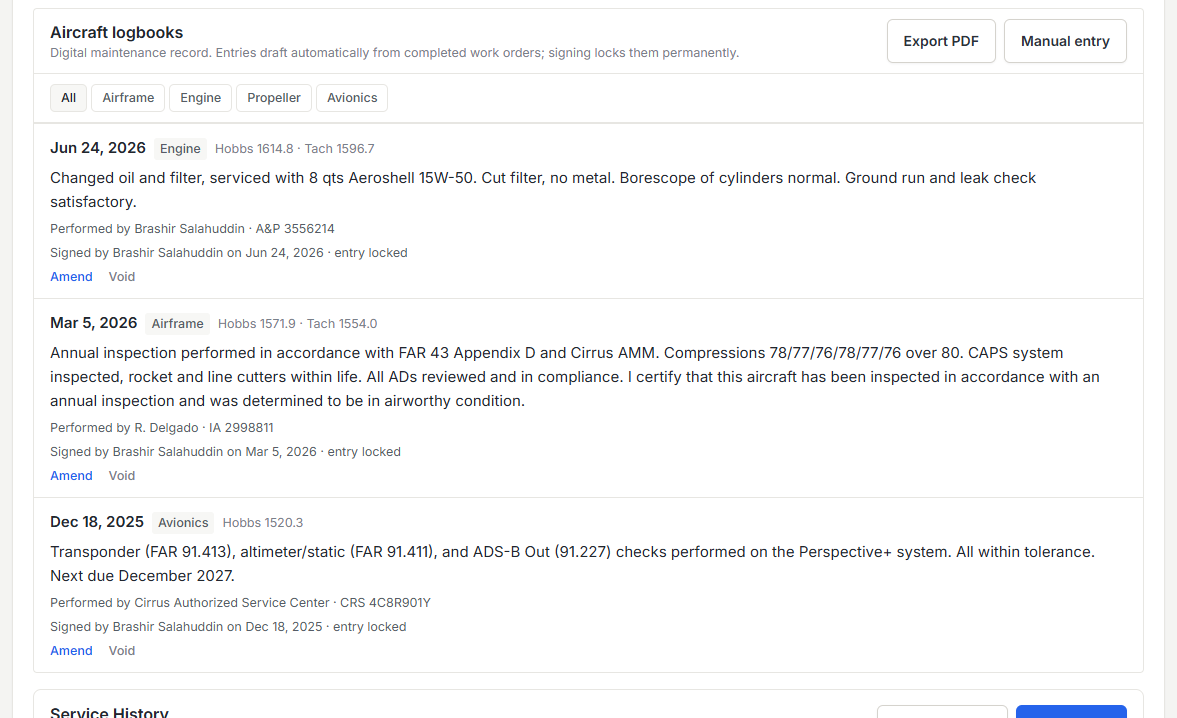
Completed work builds the aircraft’s records: what was done, when, at what meter time, and by whom. When it’s time to sell the aircraft or satisfy an insurer, the history is already organized.
Printing and exporting
Maintenance records, work orders, and the aircraft logbook export as PDFs built to be handed to somebody. The aircraft’s own photo sits beside its tail number, make and model, and serial number, and the page opens with the numbers a shop asks for first: Hobbs, tach, total time, home base, engine, the next item due, and how many squawks are open. Rows never split across a page break, so the copy that comes off the printer reads as cleanly as the one on screen.
What pilots see
The Maintenance workspace (the fleet board, work orders, compliance, parts, vendors, and records) is a staff area. It shows for owners, admins, managers, and maintenance roles; regular members don’t see the Maintenance menu at all.
- Members see each aircraft’s current status on the aircraft pages and when booking, enough to know whether an aircraft is good to fly, without the wrench-turning detail.
- Members can still report squawks, follow the ones they filed, and read the aircraft’s maintenance logbook.
- To give front desk staff the full workspace, grant the maintenance permissions to their role under Roles & Access.
Was this page helpful?
Can’t find what you need? Contact us - a real person reads every message.