

Flying & Logbook
Live Flights
Live Flights shows who is out, who is due back, and where everyone is right now, on one screen that doubles as a lobby display.
The board
Live Flights shows aircraft out now, departures scheduled in the next 24 hours, and arrivals from the last 24. Each aircraft that is out carries its dispatch details and, when the flight is overdue past your grace period, turns red with the pilot and the expected return time.
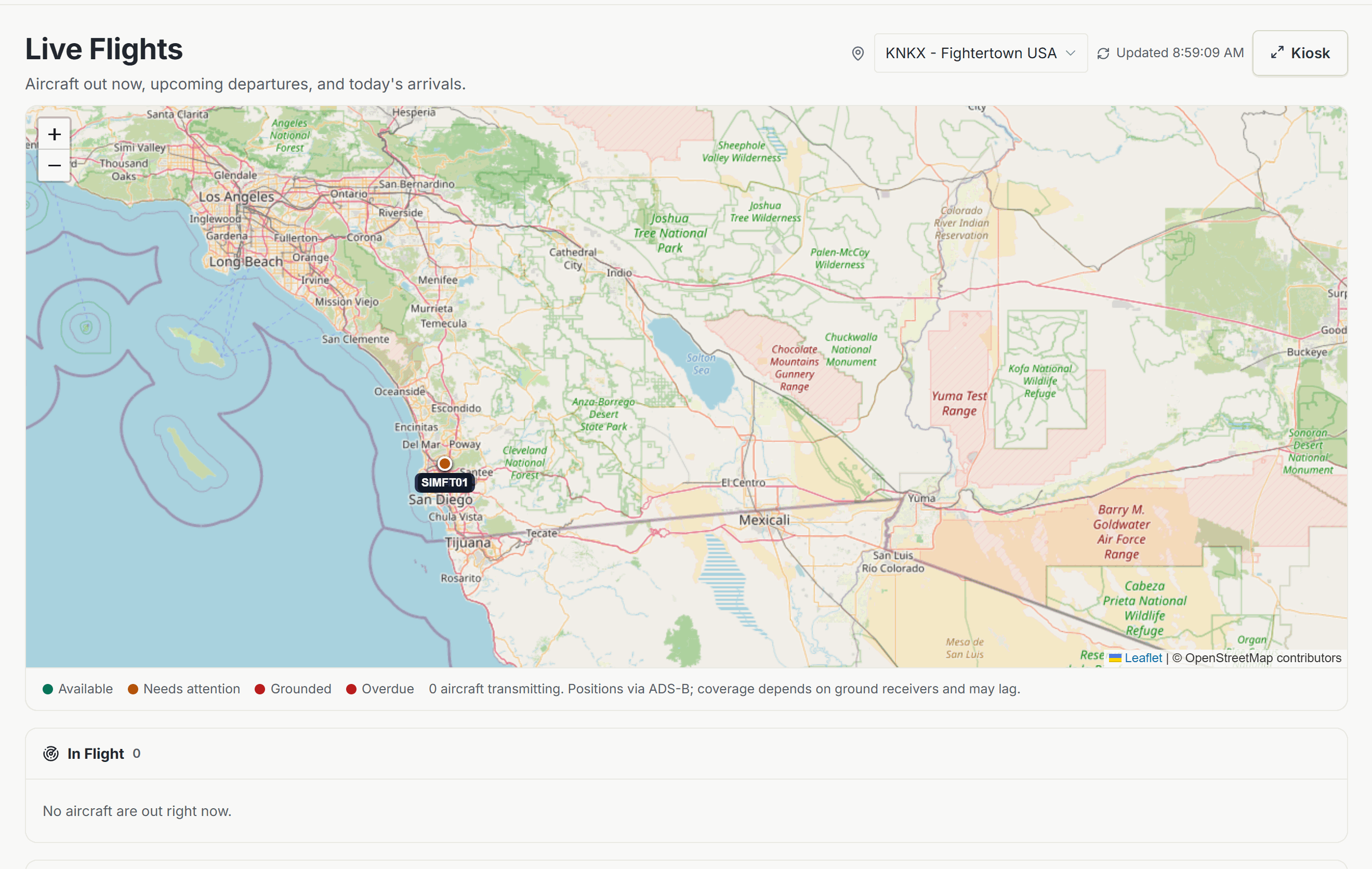
The map
A live map plots dispatched aircraft at their current ADS-B position, with a trail of where they have been. An aircraft that is dispatched but not transmitting still appears, marked as having no signal, at its last known base. Aircraft on the ground sit as dots at their home field. Each airborne aircraft links out to FlightRadar24 for the full track.
Position data comes from public ADS-B feeds. Coverage has gaps at low altitude and at quiet fields, so a missing signal means the receiver network lost the aircraft, not that anything is wrong.
Kiosk mode
The kiosk button takes the board full screen, sized for a TV in the lobby or the FBO counter, with the flight board beside the map, refreshing itself. Press Escape to leave. Times on the board follow the field’s own clock, so the display makes sense to the people standing in front of it.
Multiple locations
Organizations with more than one base get a location switcher, so each front desk watches its own field. The board and map follow whichever location is selected.
Who sees it
Live Flights is a staff surface, gated on the live-flights permission, held by default by the roles that run the desk. Members don’t need it to fly; their own reservations and dispatches live on the schedule.
Dispatch & Returnthe flow that puts aircraft on this board.
Was this page helpful?
Can’t find what you need? Contact us - a real person reads every message.