

Billing & Cost Sharing
Payments & Refunds
Members can pay online through Stripe, and admins can record money that moved elsewhere or issue refunds. Every path lands on the ledger so the balance stays honest.
Online payments through Stripe
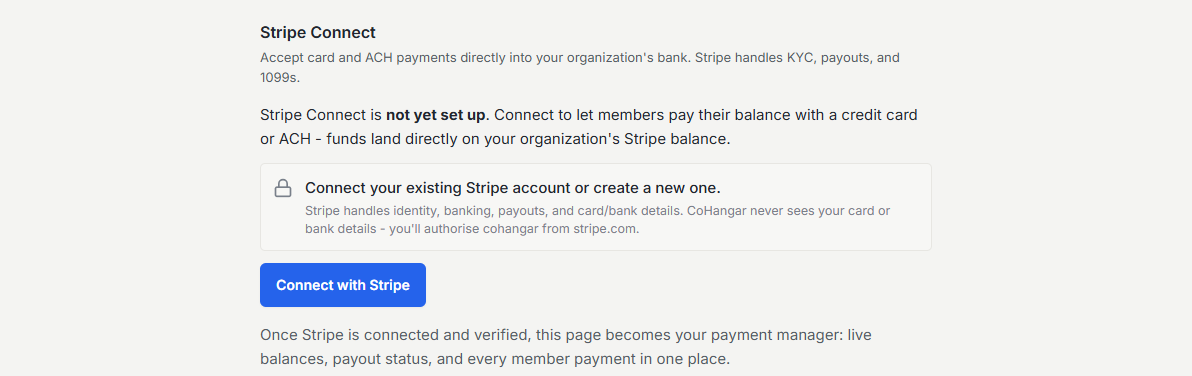
Connect Stripe and members pay their balance or an invoice by card or bank transfer (ACH) from their own finances page. Payments post back to the ledger automatically and clear the charges they cover, with no manual reconciliation. The member sees a receipt on screen and gets a copy by email, whichever processor you use.
Bank payments while they are on their way
A bank payment (ACH) costs you far less than a card, 0.8% capped at $5 against 2.9% plus 30 cents, but it takes about four business days to arrive. Resyrv records it as soon as the member authorizes it, so nobody wonders where the money went, and shows it on your Payments page as processing with its own filter.
A payment still on its way posts nothing to the ledger and is not counted in payments received, so your balances and reports only ever reflect money you actually have. There is nothing to approve. It is a real Stripe payment that has not landed yet, so it stays out of the reconciliation queue. When it clears it posts like any other payment. If the bank returns it, the payment closes out with the reason.
The one place it does count is your balance rules. By default a member with a payment on its way is not blocked from booking or dispatching, because the delay is their bank's rather than theirs. Each Balance rule under Gates & Compliance has a "Count bank payments in transit" switch if you would rather wait for the money, and you can answer differently for scheduling and for dispatch.
Bank payments are switched on in your own Stripe account, not in Resyrv. Organization Settings, Payments shows whether they are enabled and links you to the right page in Stripe.
Processing fees, recorded for you
Each night Resyrv reads the processing fees Stripe actually charged on your recent payments and records them as organization expenses, categorized by what was paid for, so your profit and loss shows the true cost of taking cards without anyone typing in fee lines.
If you run reserve funds with fees routed to the General fund, the per-charge estimate recorded at payment time is corrected to Stripe’s exact figure once it is known. A fee Resyrv cannot match to a payment is flagged for review rather than quietly absorbed.
Saved cards and autopay
Members can save a card or bank account for one-tap payment and to enable autopay on recurring dues. Saved methods live in Stripe, not in Resyrv, so card numbers never touch your database.
Recording external payments
Cash, checks, and transfers that happen outside Stripe get recorded manually so the ledger stays complete. A member can report a payment they made, and an admin with the external-payment permission approves it before it clears.
Issuing refunds
A refund is issued against a prior payment and can be directed to one of several destinations:
- Original card - Resyrv calls Stripe to reverse the charge automatically.
- External - you moved the money out-of-band (check, Venmo, Zelle) and record it here.
- Account credit - the amount becomes credit the member can spend later.
- Forfeit - nothing is returned, per an agreed policy.
Who can do what
Recording and approving external payments requires the external-payment permission; issuing refunds requires its own refund permission. Connecting Stripe and moving the organization’s money is owner-level. These sit on dedicated permissions rather than a generic admin flag.
Was this page helpful?
Can’t find what you need? Contact us - a real person reads every message.