

Training
Course Store: Buy Syllabus Templates
The Course Store is a catalog of ready-made syllabus templates in the app. When you buy a template, it becomes yours to edit and teach.
The catalog
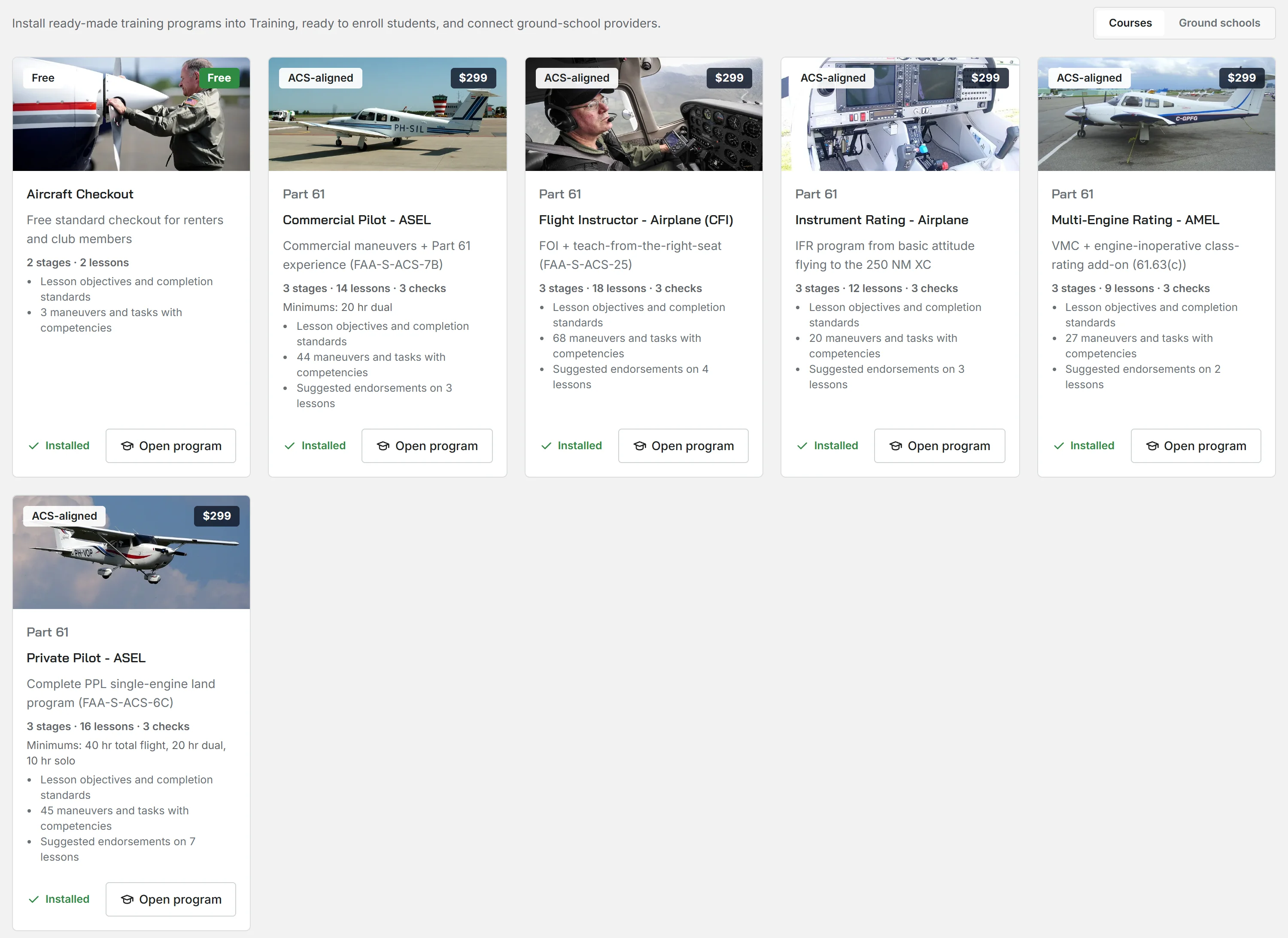
If your organization has the Course Store enabled, open it from Course library at the top of Training, then Programs. The Courses tab shows each syllabus template with its price and its contents. This helps you decide if a course is correct for you before you buy it. A course that you already have shows Installed. The Ground schools tab shows external ground-school providers. The connection to a provider shows as coming soon.
Buy a course
You pay with a standard card payment. Your organization makes the purchase, not an individual member.
What you get
Resyrv copies a purchased course into your Programs as a program of your own. The copy includes its stages, lessons, and maneuvers and tasks. You own this copy:
- Edit all parts of its curriculum: change the sequence of lessons, add your own maneuvers, or change stage names.
- Enroll students immediately, the same as in a program that you made.
- Your edits never go back to the catalog. The catalog template does not change.
Was this page helpful?
Thanks - that helps. Tell us what was missing and we will fix the page.
Can’t find what you need? Contact us - a real person reads every message.