

Flying & Logbook
Airbly & Aircraft Data Recorders
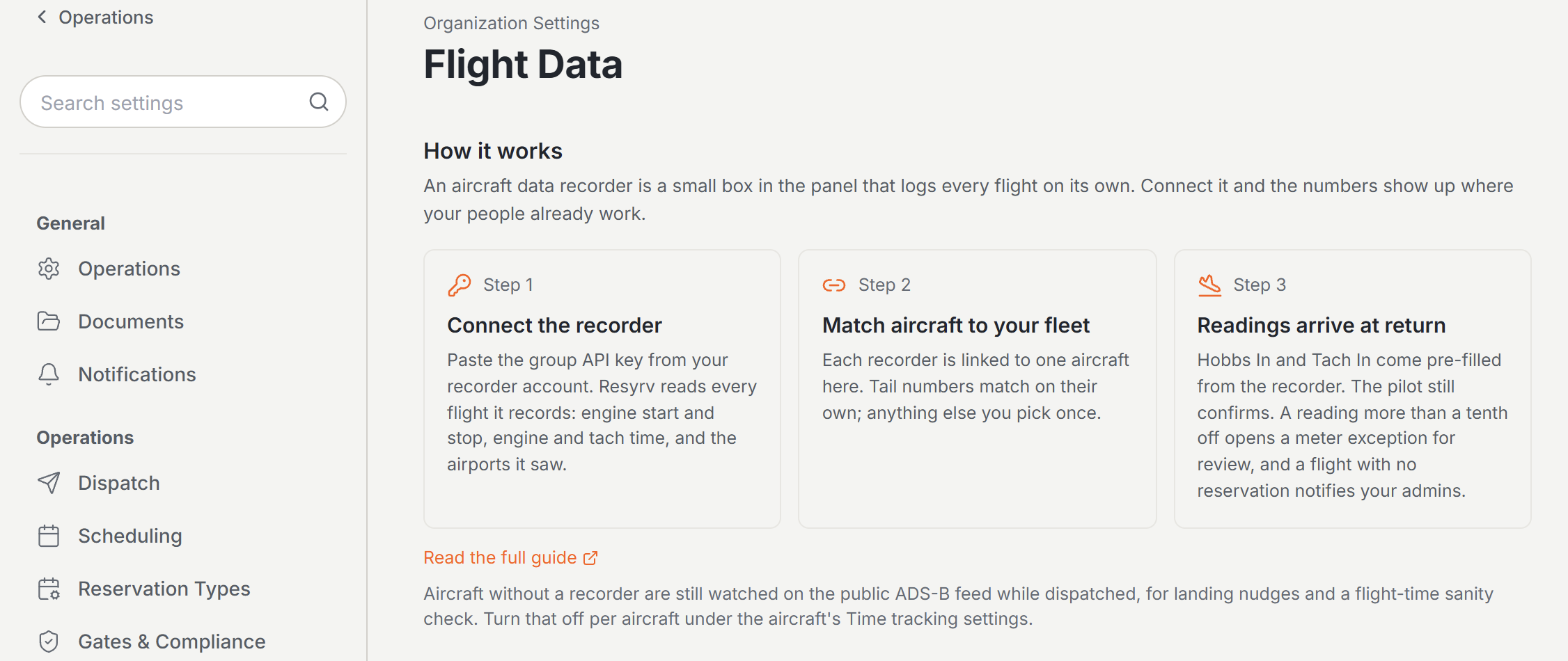
The recorder in the panel already knows how long the engine ran. Connect it and that number is waiting on the return form before the pilot types anything.
What the recorder sends
An aircraft data recorder logs every flight it sees: when the engine started and stopped, how long it ran, how long the tach turned, and which airports it departed and landed at. Resyrv reads those flights and puts them to two uses: filling in the return readings before the pilot enters them, and telling your admins about a flight that never had a reservation.
Connecting Airbly
Flight Data lives under Organization Settings, in the Operations group. Seeing it takes the aircraft management permission, which owners and admins already have.
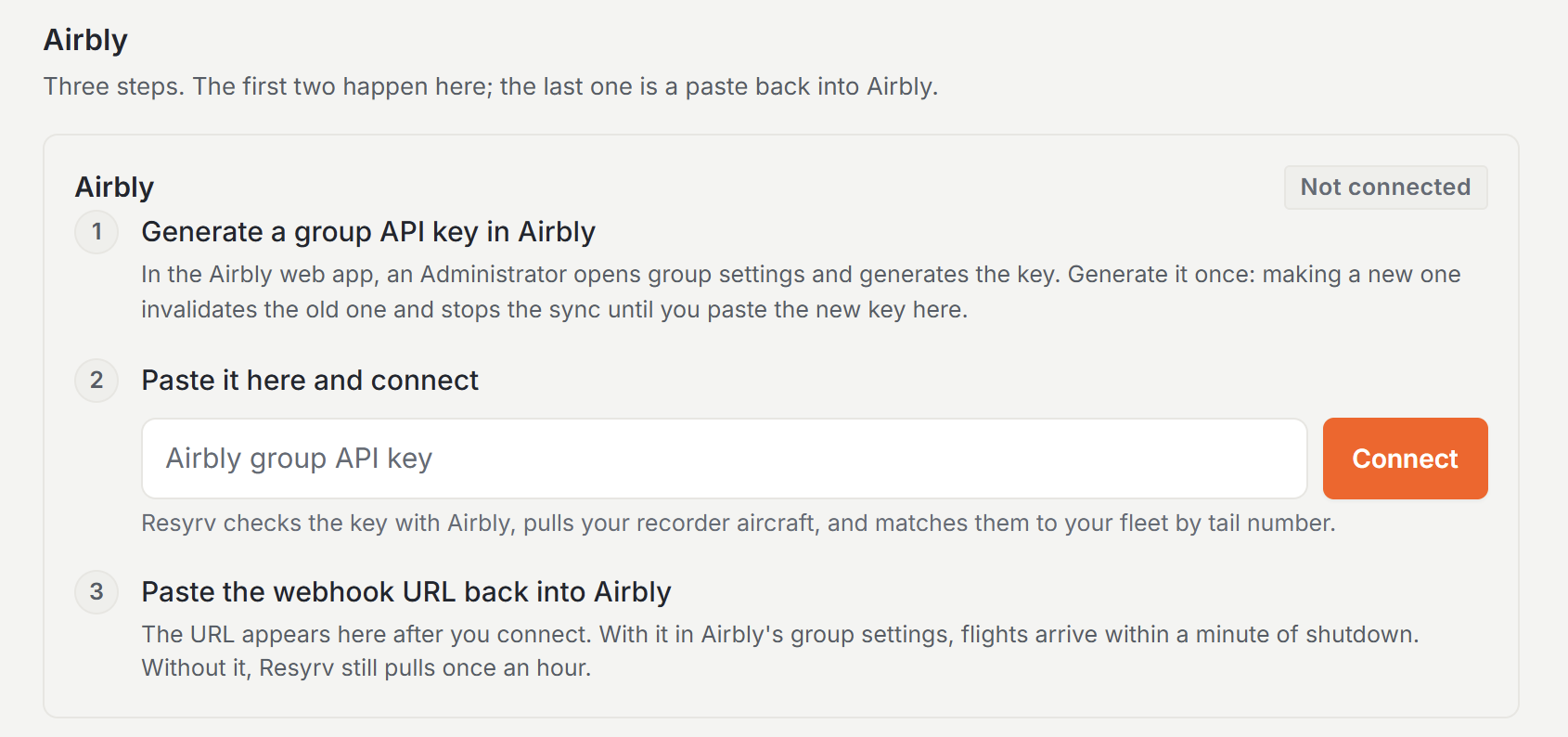
- In Airbly’s web app, an Administrator opens group settings and generates the group API key. Do it once. Regenerating invalidates the old key, and Resyrv stops syncing until you paste the new one.
- Paste the key into the Airbly card in Resyrv and click Connect.
- Copy the webhook URL the card then shows into Airbly’s group settings as the webhook endpoint.
Matching aircraft to your fleet
On connect, Resyrv pulls the aircraft on your Airbly account and matches each one to your fleet by tail number. Rows it worked out itself are marked auto. Anything the tail number did not resolve - a device registered under an old registration, or named something other than the N-number - is left unlinked, and the picker in the Resyrv aircraft column fixes it. A row you set by hand is marked manual and stays where you put it.
Flights on an unlinked recorder aircraft are still stored, but have nowhere to land. Linking the aircraft re-matches the flights already collected, so the ones that arrived before you fixed the link are not lost.
The webhook
With the webhook URL in place, Airbly tells Resyrv within about a minute of engine shutdown, so the reading is ready by the time the pilot walks in. Without it nothing breaks. Resyrv pulls from Airbly once an hour and catches up. The Sync now button on the card runs the same pull immediately.
What the pilot sees at return
When a pilot opens Return on a reservation the recorder flew, Hobbs In and Tach In are already filled in, with a line under them reading From Airbly and the engine and tach hours it measured. The pilot checks the panel and confirms, or types what the gauges read.
The return still needs the pilot to submit it, and what bills is whatever is in the fields when they do.
If the pilot left the departure or arrival airport blank on the flight log, the airports the recorder saw fill in. An airport the pilot typed is never overwritten.
When the reading and the recorder disagree
Differences under a tenth of an hour are ignored. Beyond that the return still posts, so nobody is stuck at the desk, and a return meter exception opens on the Meter Exceptions page under Schedule with the pilot’s reading beside the recorder’s.
A reviewer decides from there. Accepting the exception keeps the pilot’s reading and the billing that came from it. Return correction re-bills the flight with the corrected numbers.
Dispatch & Returnmeter exceptions at dispatch, and the rest of the out-and-in flow.
Flights nobody booked
A recorded flight that matches no dispatched reservation notifies your admins with the aircraft, the date, and how long the engine ran. Often it is a maintenance run somebody forgot to book.
The event is “Recorded flight with no reservation” under Organization Settings, Notifications. It is on by default for owners, administrators, and managers.
Announcements & Notificationschoosing which events send, and who receives them.
Disconnecting
Disconnect removes the connection, the aircraft links, and the recorder flights Resyrv has stored. Flights already returned keep their readings and their charges, which belong to the reservation rather than the recorder. Reconnecting with a key fetches the history again from Airbly.
Aircraft without a recorder
Aircraft that broadcast ADS-B are watched on the public feed while they are dispatched, with nothing to install. Resyrv samples the position every minute and a half and notices when the aircraft has been sitting at one of your fields for a few minutes after a flight.
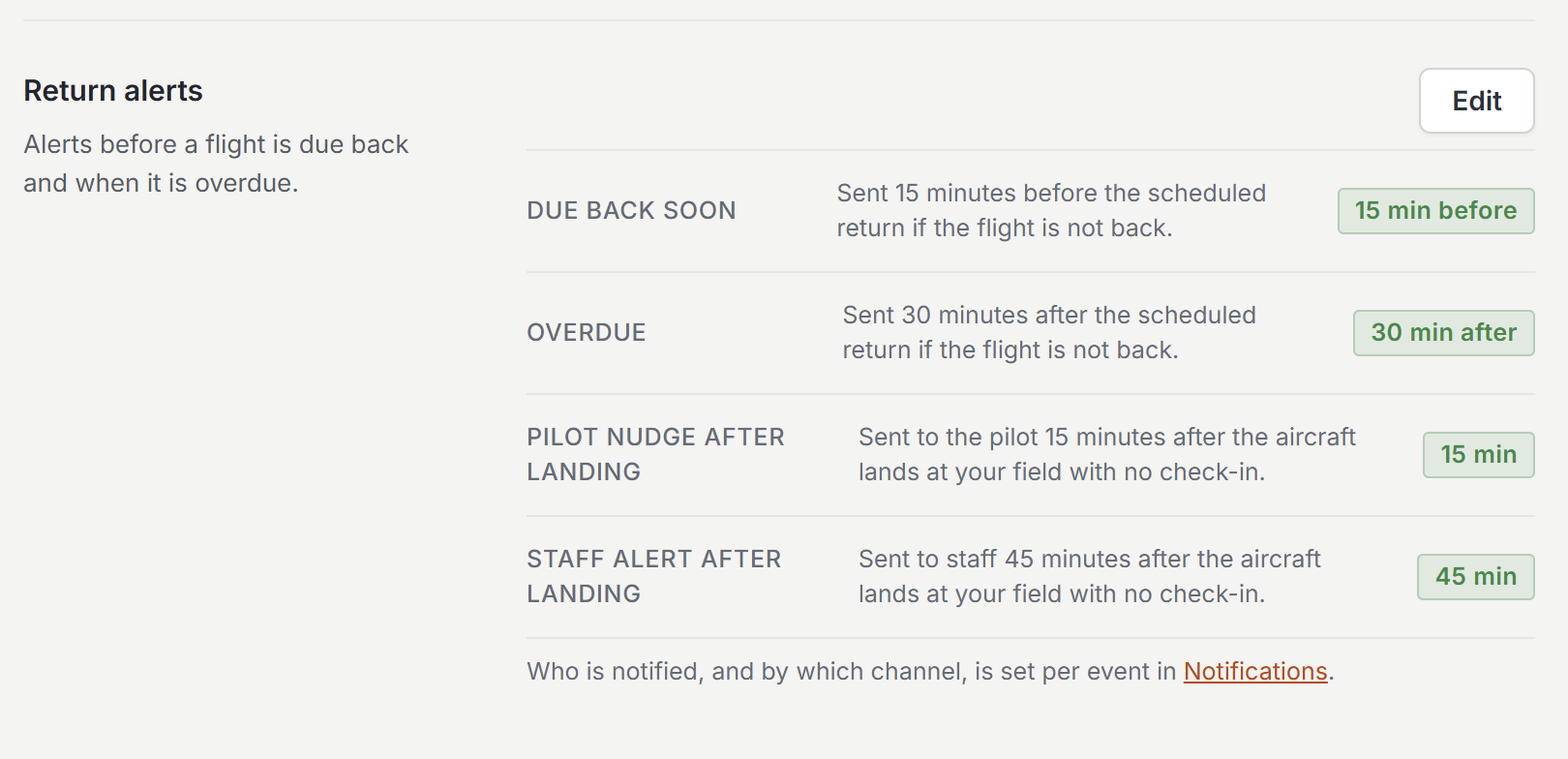
If nobody has checked it in fifteen minutes after that, the pilot gets a reminder. Thirty minutes later, staff get a Landed, not checked in alert. Both waits live under Organization Settings, Dispatch, Return alerts, and zero turns a stage off. The Live Flights board shows the same thing as it happens: In flight, Landed and not checked in, Landed away, or Signal lost.
At return there is one sanity check. The feed only sees time in the air, and a Hobbs meter runs from engine start to shutdown, so the Hobbs change should always be more than the airborne time. When it is less, the return still posts and a meter exception opens with both numbers, the same way a recorder mismatch does. Touch and goes do not confuse it, because a landing only counts after several minutes on the ground, and taking off again cancels it.
Every aircraft is tracked by default. Turn it off for one under the aircraft, Time tracking, Track position with ADS-B. If the feed cannot find an aircraft by tail number, enter its Mode S code in the same box. An aircraft with an Airbly recorder keeps the recorder check and skips this one.
When something is not working
- The key is rejected - it has to be the group API key from Airbly’s group settings, generated by an Administrator. A key that worked and then stopped is usually one that was regenerated in Airbly, so paste the new one.
- An aircraft never matches - the tail number on the recorder is not the tail number in Resyrv. Set it with the picker rather than renaming either side.
- Flights still read No reservation after you linked the aircraft - linking re-matches the stored flights, but only against reservations that were dispatched. A flight flown on a reservation nobody dispatched has nothing to match to.
- Nothing has arrived at all - check the last sync time on the card and press Sync now. If the webhook URL never made it into Airbly’s group settings, the hourly pull is doing all the work and a flight can be up to an hour old.
Was this page helpful?
Can’t find what you need? Contact us - a real person reads every message.