

Members & Roles
Managing Members
The Members area is your roster: who is in the organization, what they can do, what they owe, and the tools to onboard and offboard them cleanly.
The members list
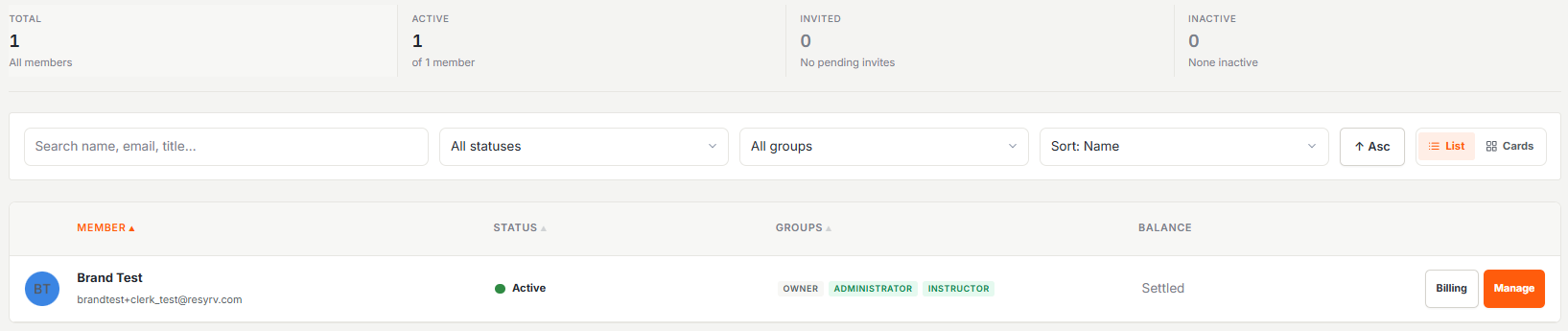
Members shows everyone in the organization as compact rows or cards (your choice with the view toggle). Search and filters get you to a person fast.
The member detail page
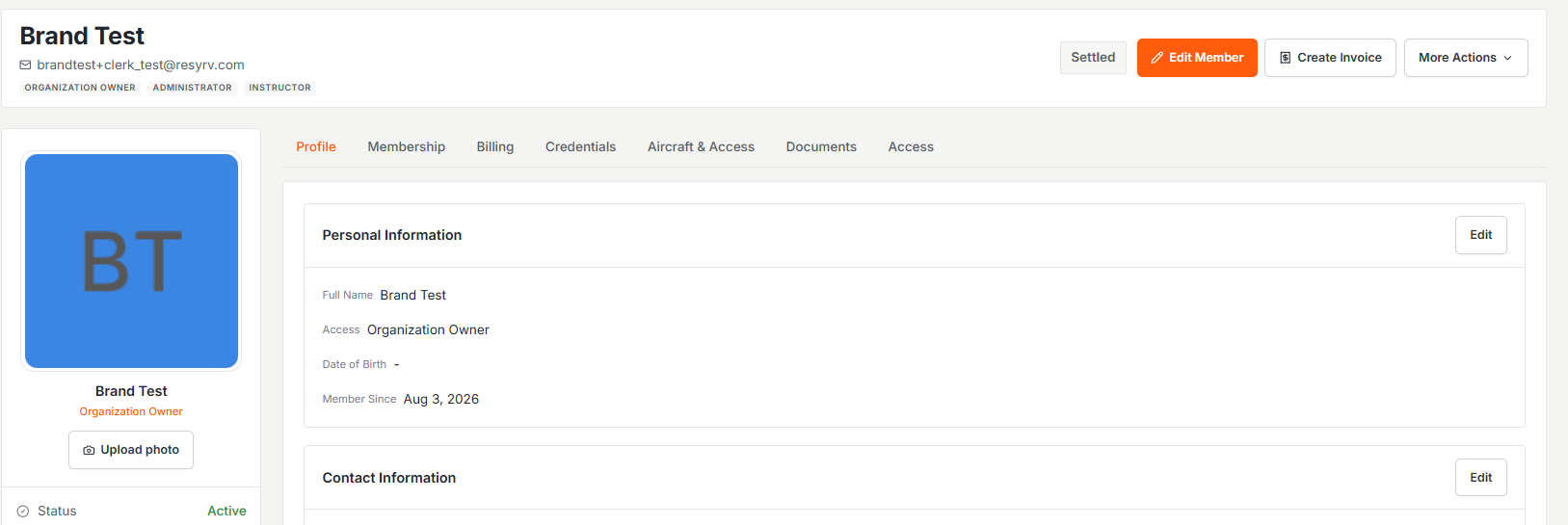
Opening a member gives you tabs for their overview, finances, permissions, and training, with quick actions in the header: generate an invoice, or open the Actions menu for everything else. What you see is permission-gated, so billing tabs only appear for people allowed to see money.
Balances
The headline number on a member is their net ledger balance (every charge, payment, and credit to date). It’s the real answer to “what does this person owe,” independent of what has been invoiced so far.
Authorized locations
In multi-base organizations, each member carries a list of authorized locations. Aircraft based outside that list don’t show up as bookable for them, useful when insurance or policy ties members to a field.
Offboarding
Members can leave an organization themselves, and admins can deactivate a member. Either way, Resyrv applies a settle-first gate: an account with an outstanding balance has to be squared away before the departure completes, so nobody walks out mid-invoice.
Was this page helpful?
Can’t find what you need? Contact us - a real person reads every message.