

Training
Checkride Records
A checkride happens outside your walls, with a DPE, so it sits outside the grading workflow. Staff record the outcome after the fact. Those records add up to the numbers every school gets asked for: pass rates, first-time pass rates, and how students fare with each examiner.
Logging a checkride
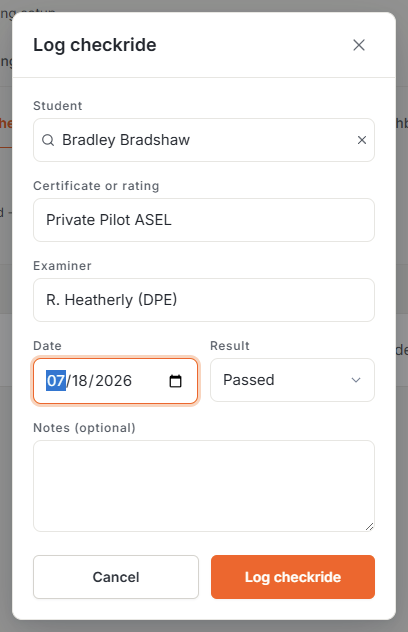
Under Training then Reports then Checkrides, click Log checkride: pick the student, the certificate or rating (suggestions cover the usual list, from Private ASEL to ATP), the examiner’s name, the date, and the result (passed, failed, or discontinued). If the student has an active training program, it’s offered as a link so the checkride ties to the course that led to it.
When a linked checkride is a pass, one checkbox marks the program completed as of the checkride date, with no separate trip to the program screen.
The numbers
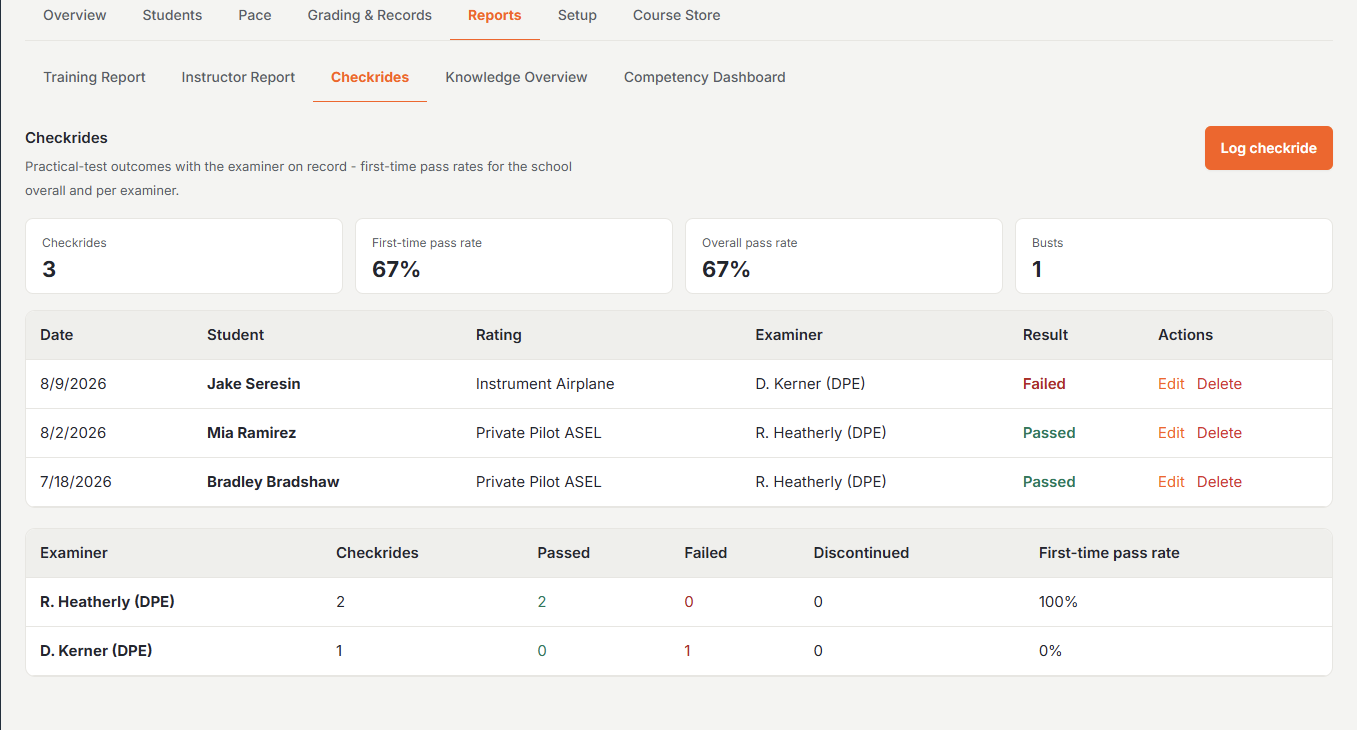
Once records exist, the page keeps score: total checkrides, first-time pass rate, overall pass rate, and busts. A student’s first attempt at a rating is worked out from the records, never entered by hand. Discontinued rides count as attempts but stay out of the pass-rate math, matching how Part 141 schools report.
Per-examiner performance
A second table breaks the same numbers down by examiner: checkrides, passed, failed, discontinued, and first-time pass rate for each DPE your students fly with.
Was this page helpful?
Can’t find what you need? Contact us - a real person reads every message.