

Maintenance
Work Orders
A work order is the job ticket for one piece of maintenance on one aircraft. It gathers what needs doing, what it took, and who put their name on the airplane at the end.
Opening one
A work order needs an aircraft and a title. Everything else is there when you need it: a description, the shop or vendor doing the work, someone on your team to assign it to, the squawks and compliance items it addresses, and a downtime window.
Each one gets a number when you save it, WO 1001 for your organization’s first, counting up from there. The number is yours per organization, so it means something when you say it on the phone to a shop.
Where it sits while the work happens
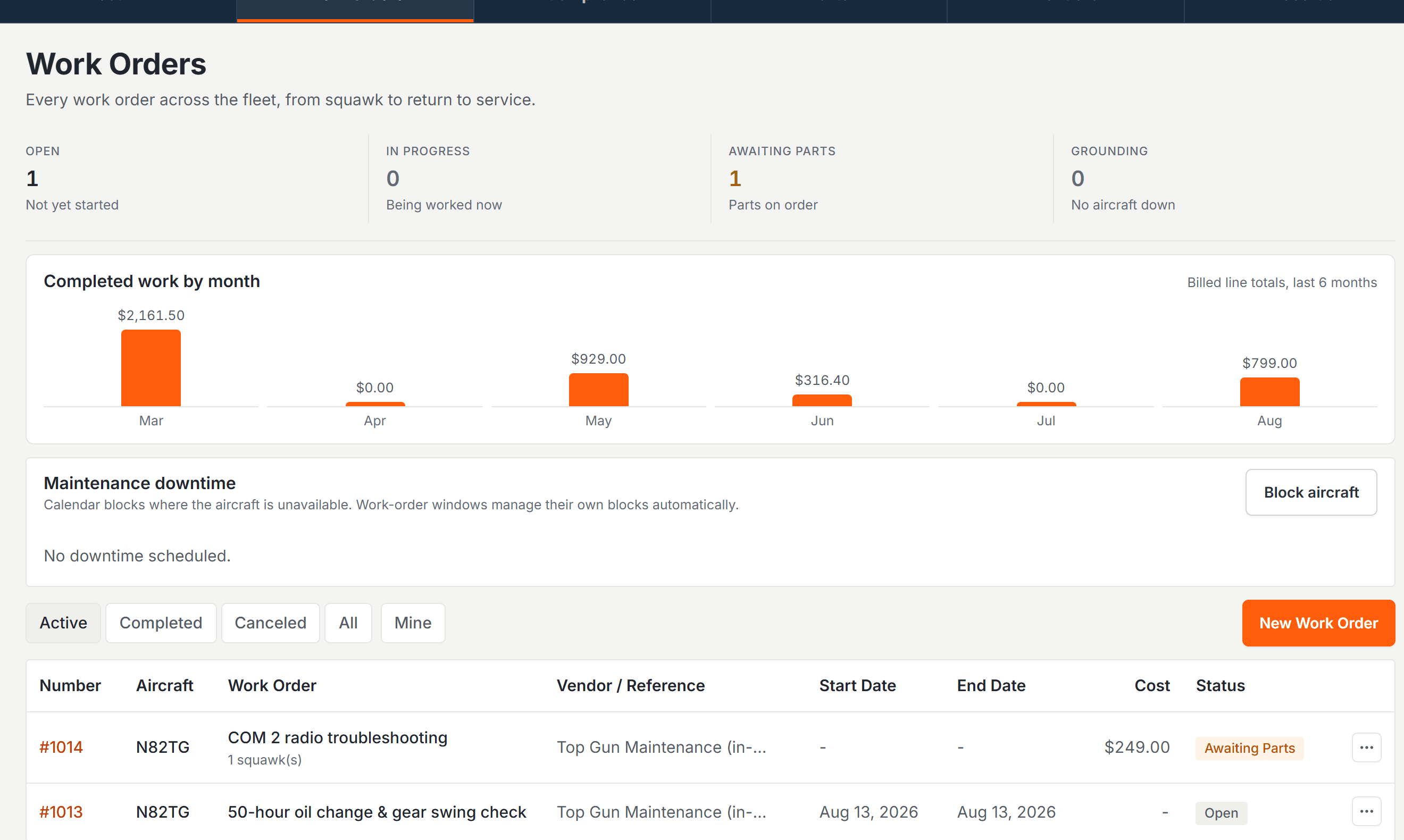
A work order is open, scheduled, in progress, or awaiting parts, and you move it between those as the job moves. The statuses go both ways. When the wrong part arrives, the job goes back to awaiting parts.
Complete and canceled end a work order. Complete is the return to service, covered below. Canceled is for work that is not going to happen. Both are final, so a completed or canceled work order is read only from then on and cannot be reopened. If work turns out to be needed after all, open a new one.
Squawks it is fixing
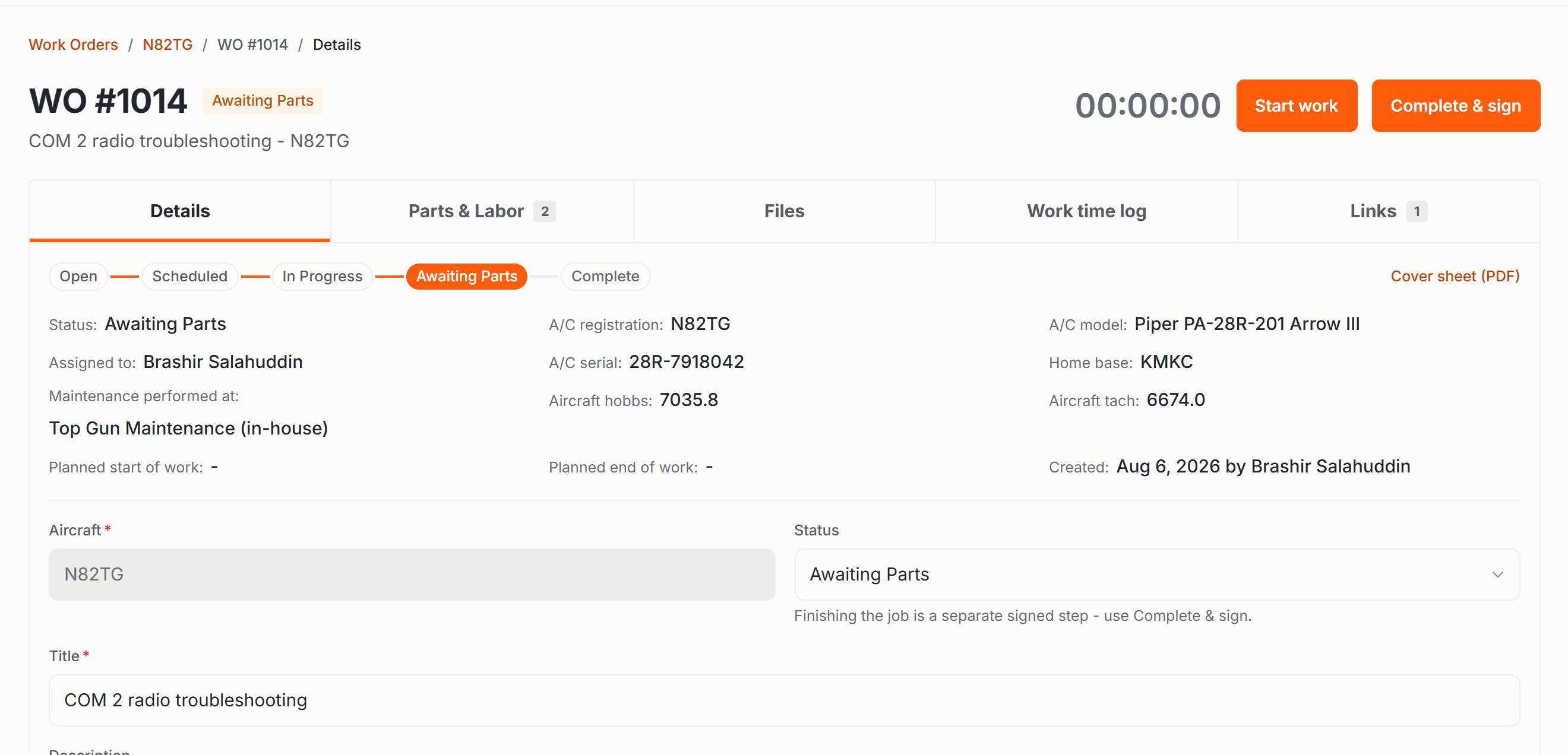
Link the squawks the job addresses and each one shows as converted (reported, accepted, and now sitting in a work order rather than waiting for triage). Members watching a squawk they filed can see it moved.
Cancel the work order and those squawks go back to triaged. The problems do not disappear because the job did; they return to the triage list for someone to decide about.
Squawks & Groundingfiling, severity, and what grounds an aircraft.
Grounding the aircraft
Tick “grounds aircraft” and the airplane is grounded for as long as the work order is active. A grounded aircraft cannot be dispatched, and by default it cannot be booked either. An organization can soften the booking check to a warning, but the dispatch block is absolute and cannot be turned off.
Lifting a grounding takes maintenance sign-off authority, whether you lift it by completing the work order, by unticking the box, or by canceling the job. Someone who can edit maintenance records cannot return an airplane to service.
Grounding an aircraft and returning it to service both send notices to the people your organization has set up to receive them, in the app and by email.
Downtime on the calendar
Give the work order a start and end and the aircraft shows as down on the schedule for that window, so nobody books an airplane that is in pieces. The block belongs to the work order. Change the dates on the job and the calendar follows, and the block clears when the job completes or is canceled.
If reservations already sit inside that window, Resyrv does not silently move or cancel them. It saves the block, lists the conflicting reservations right there, and emails the pilots holding them along with your maintenance contacts, so a human decides who gets rebooked.
Parts and labor
Lines are what the job cost. Each line is parts, labor, or other, with a description and an amount. Enter a quantity and a unit cost and the line total works itself out; leave those blank and type a flat amount instead, for a shop invoice you are recording as one number.
Parts you keep in your catalog autocomplete as you type, and the part number, serial number, and cost come across with the name. Labor is a line too: hours in the quantity, your rate in the unit cost.
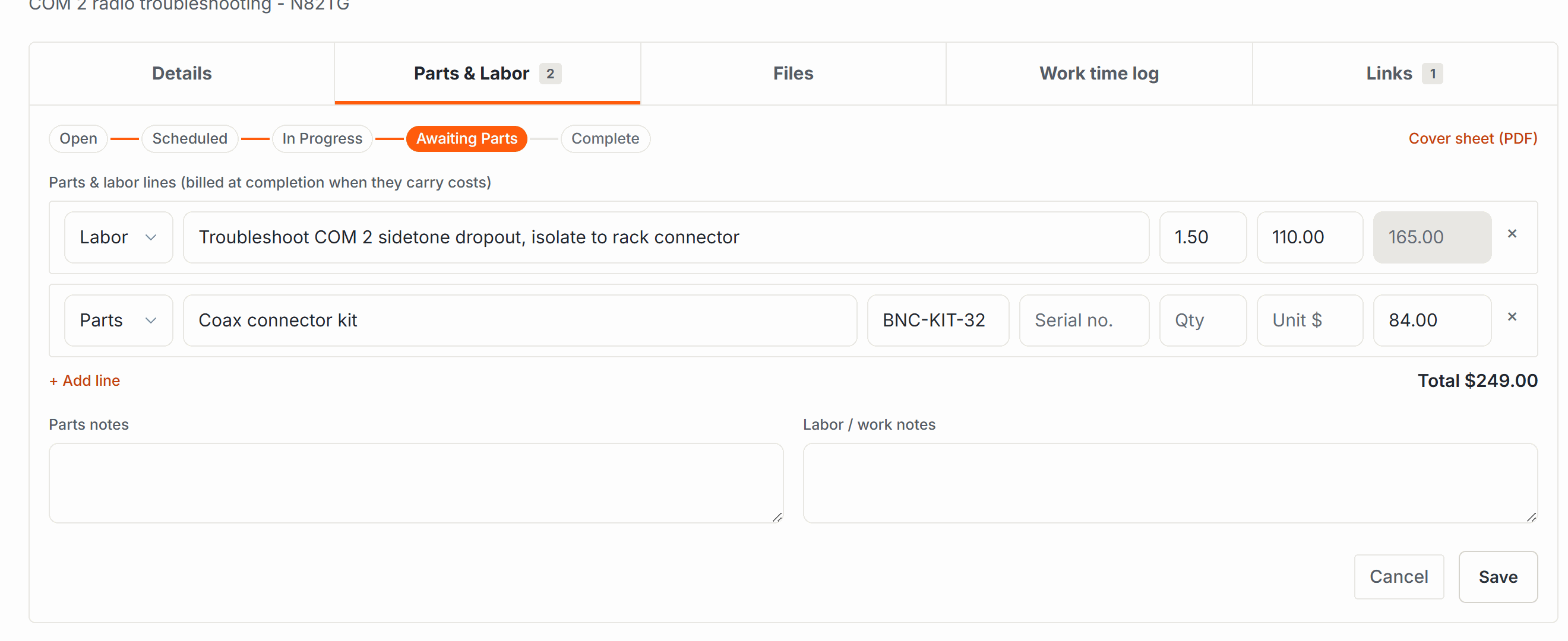
When the work order completes, those lines are what post the cost. On a shared aircraft the amount is split across the owners the same way flying is, less anything a reserve fund covers. A work order with no money on it completes just fine and posts nothing.
Reserve Fundspaying for an overhaul out of money already set aside.
The work timer
Anyone working the job can start and stop a timer on it, with a note about what they were doing. It is a record of who spent what on the airplane, useful when a mechanic writes up their hours at the end of the week.
Signing it off
Completing a work order is the return to service. You record the date, the meters if the work moved them, the return to service note, and who did the work: their name and certificate number, typed in free, because the mechanic is often a shop employee with no account here.
Then you sign with your PIN, the same one dispatch signatures use. You sign as the performer if you did or supervised the work, or as the recorder if you are writing up someone else’s. The statement you signed is stored word for word as it read that day, and never rebuilt later from newer data.
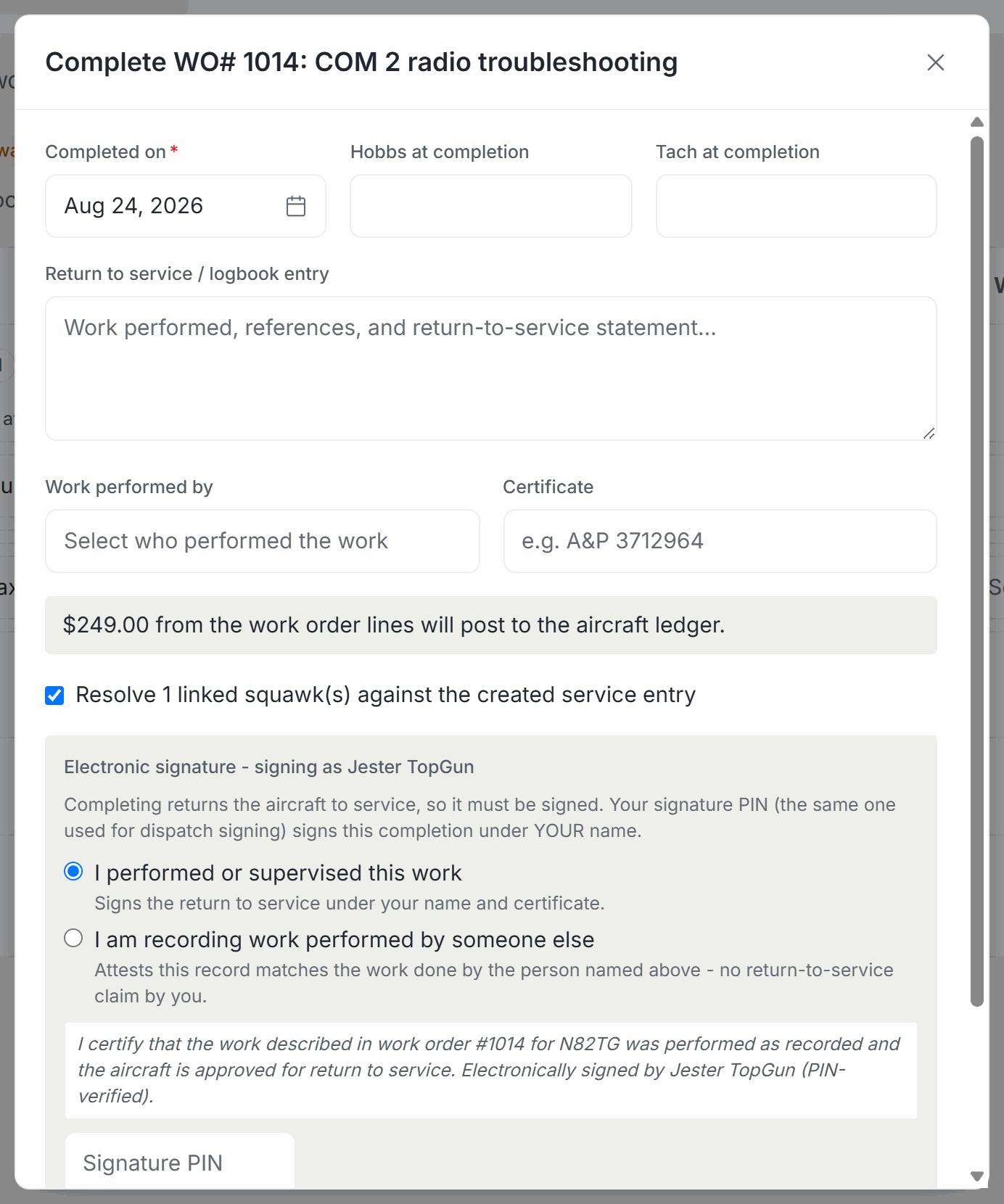
Completing the work order does all of this: the compliance items the job addressed roll forward to their next due, a service record joins the aircraft’s history with its cost, serialized parts are added to the aircraft’s components, the calendar block clears, any grounding lifts, and a draft logbook entry is waiting for a signer to review and sign into the permanent record.
Linked squawks are resolved at the same time, if you have the permission to close squawks. Sign-off authority and squawk-closing authority are separate, so if you hold one and not the other, the work order completes and its squawks stay open for whoever does.
Paperwork for the shop
Every work order prints a cover sheet: the aircraft letterhead, the WO number and status, the downtime window, vendor and assignee, the parts and labor table with its total, the linked squawks and compliance items, and the release text. Print it before the work and it carries a blank signature line for the shop; print it after and it carries the completion details and the electronic signature.
You can also attach files to a work order as you go: photos of the damage, the shop’s invoice, a scanned 337. Images, PDFs, text, and Word documents, up to 50 MB each.
Who can do what
- Seeing work orders at all takes maintenance workspace access, the same permission as creating them. A role with view-only maintenance access sees aircraft status, not work orders, their costs, or their labor.
- Opening a work order takes create; editing one, uploading attachments, and running the timer take edit.
- Completing one takes sign-off authority, always, plus cost authority when there is money on the lines, plus squawk-closing to resolve the squawks.
- Being assignable takes maintenance edit, and the assignee list is everyone in your organization who holds it.
Roles & Permissionsgranting these to the right people.
Was this page helpful?
Can’t find what you need? Contact us - a real person reads every message.