

Members & Roles
Flight Instructors
Instructors are members with the instructor role. This role turns on the instructor workflows in scheduling, training, and the instructors page.
Make a person an instructor
Assign the Instructor group, or use the instructor status toggle on the Access tab of their profile. With instructor status, a person can be selected on lessons, shows on the instructors page, and can use the training tools.
Instructor ratings
Below the instructor toggle, you can record the instructor ratings of the person. The ratings tell what the person can teach. The ratings show on their profile, so schedulers and students know which instructor is correct for which lesson.
The instructors page
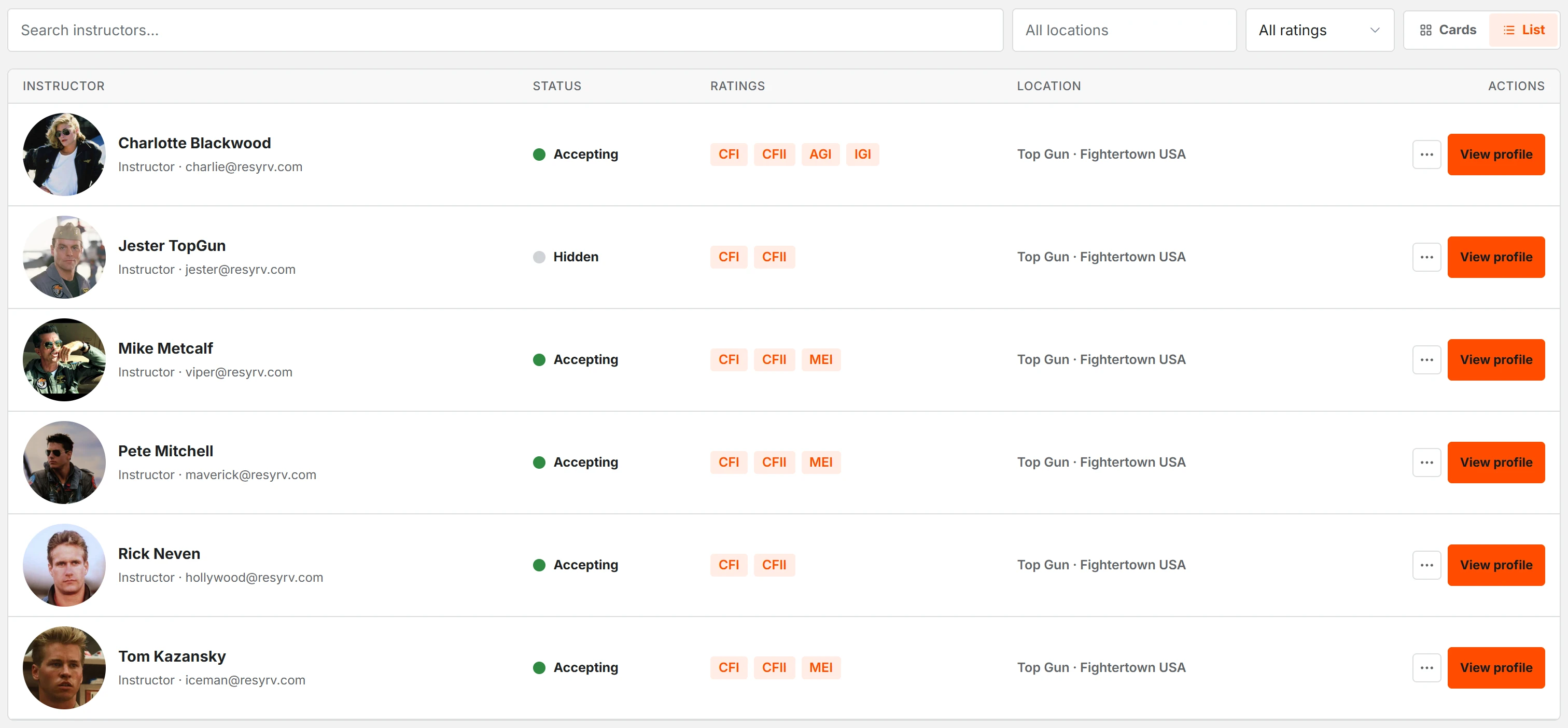
The Instructors page of the organization shows all your teaching staff in one place. Each instructor profile is one click away. The page opens as cards. It has search, location, and rating filters, and a Cards or List switch that keeps your last choice. The front desk uses this page as its roster.
Availability
Instructors publish recurring availability windows and one-time time off. The schedule checks lessons against these windows. The Schedule Builder also uses the same windows. If an instructor keeps their availability current, the builder proposes a week that fits their real schedule.
Instructor Availabilityhow warnings and blocks work.
Schedule Builderwhat the builder does with those windows.
Hours and utilization
The Instructor Hours report shows the total flight and ground instruction of each instructor for any date range. Resyrv knows the availability of each instructor. Thus the report also shows booked hours against available hours as a utilization percentage. You can quickly see an instructor who was bookable for forty hours but taught only four. You can also quickly see an instructor who has too much work.
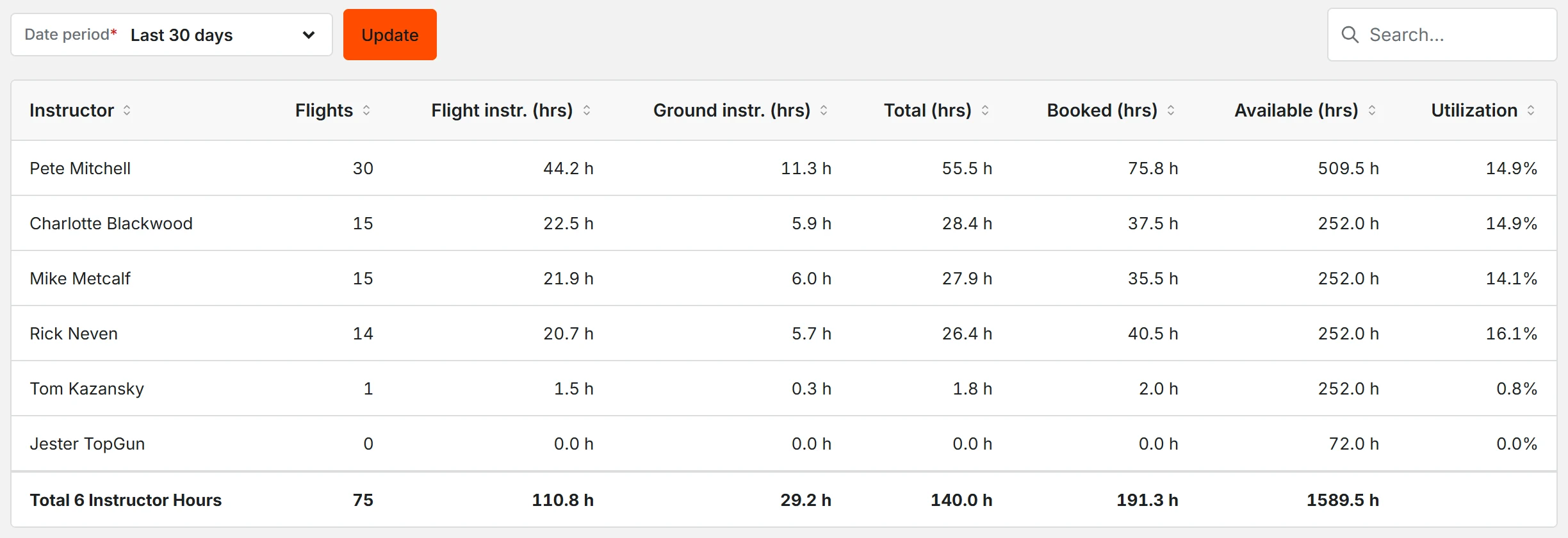
If an instructor has no availability windows, the report shows no utilization figure. Publish windows to show the figure.
What instructors see
- Their own schedule and the upcoming lessons of their students.
- Training tools: syllabi, grading sheets, and student progress.
- Checkout requests from members who need a signoff on an aircraft.
Was this page helpful?
Thanks - that helps. Tell us what was missing and we will fix the page.
Can’t find what you need? Contact us - a real person reads every message.