

How-to Guides
Run a Lesson from Booking to Billing
A lesson puts the student, the instructor, and the aircraft on one reservation. This guide books a dual lesson, collects both signatures, dispatches it, and returns it with instruction time billed and acknowledged.
Before you start
- The student and instructor both need signature PINs if your organization requires lesson signatures.
- The booking form only offers instructors who are available for the chosen time.
- If the student has an active training enrollment, the lesson can be linked to it at booking so the flight feeds their training record.
Step 1 - Book the lesson
- Open Schedule, click Add reservation, and switch to the Flight lesson tab.
- Pick the lesson type, the aircraft, the instructor, and the student.
- Optionally link a training enrollment, hold a classroom, and set pre-brief and post-brief minutes.
- Set the times and click Review & book.
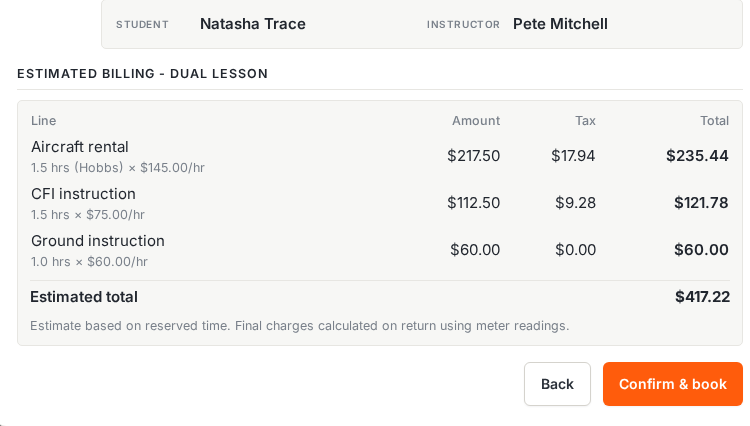
The review prices all three components of the lesson: aircraft time, CFI instruction, and ground instruction.
Step 2 - Collect both signatures
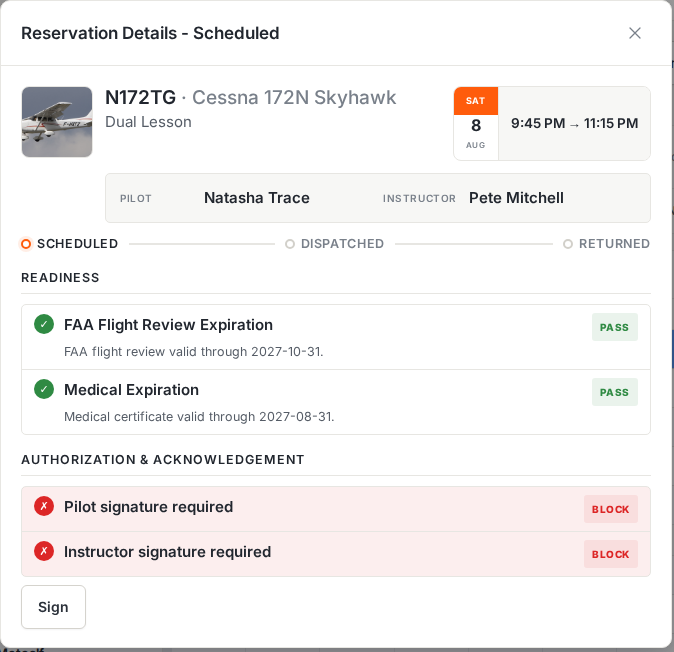
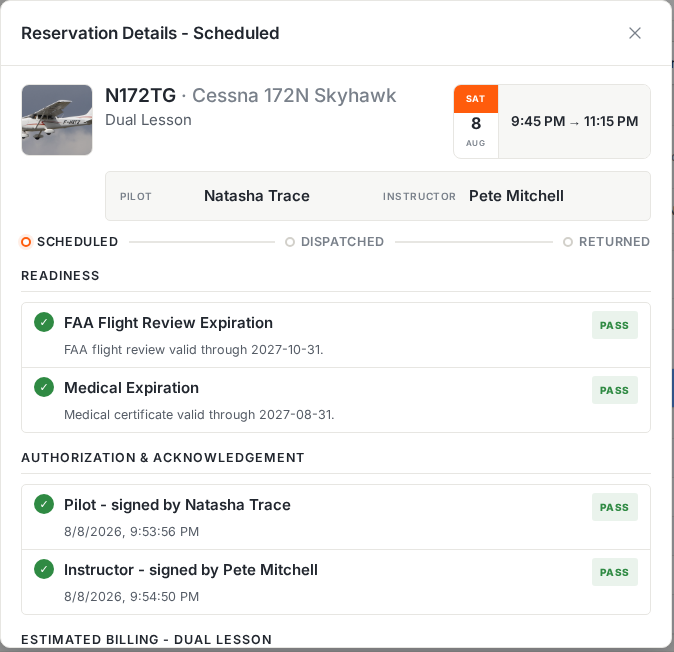
Open the reservation. A dual lesson can require two signatures before dispatch (the student’s and the instructor’s), and the authorization section shows both as blocking until they’re collected.
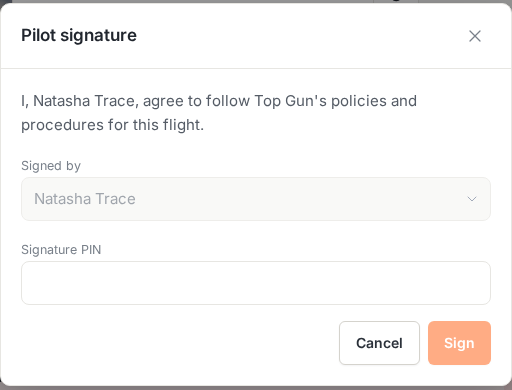
- Click Sign. The student signs first, entering their own PIN.
- Sign again for the instructor. Resyrv fills in whose signature is still missing, and the instructor keys in their own PIN.
Step 3 - Dispatch the lesson
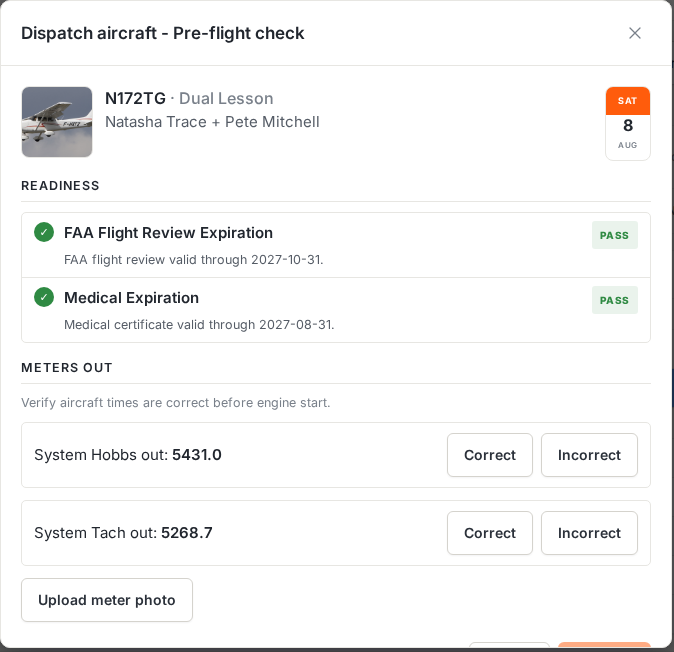
Dispatch works exactly as it does for a rental: readiness checks re-run, and the meters are verified before the engine starts. The header shows both names. The lesson goes out under student and instructor together.
Step 4 - Return with instruction time
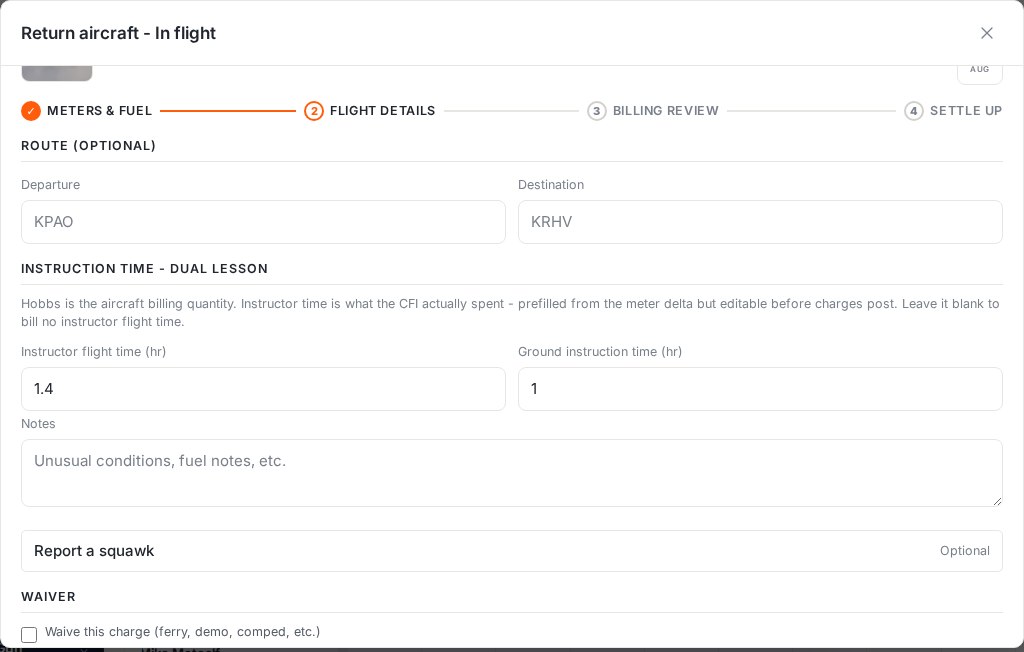
The return wizard gains a lesson-specific section: instruction time. Instructor flight time pre-fills from the meter delta and stays editable, and ground instruction time is entered alongside it.
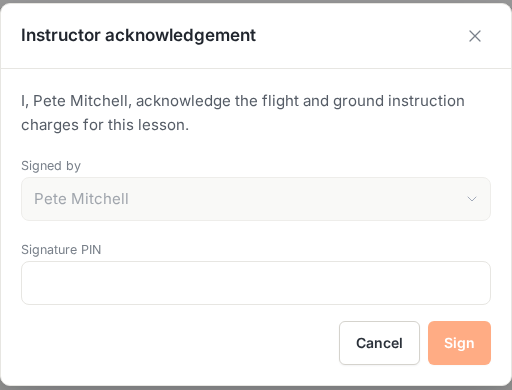
Before the charges post, the instructor acknowledges the flight and ground instruction charges with their PIN.
- Enter the ending meters, then the instruction times.
- Have the instructor acknowledge the charges with their PIN.
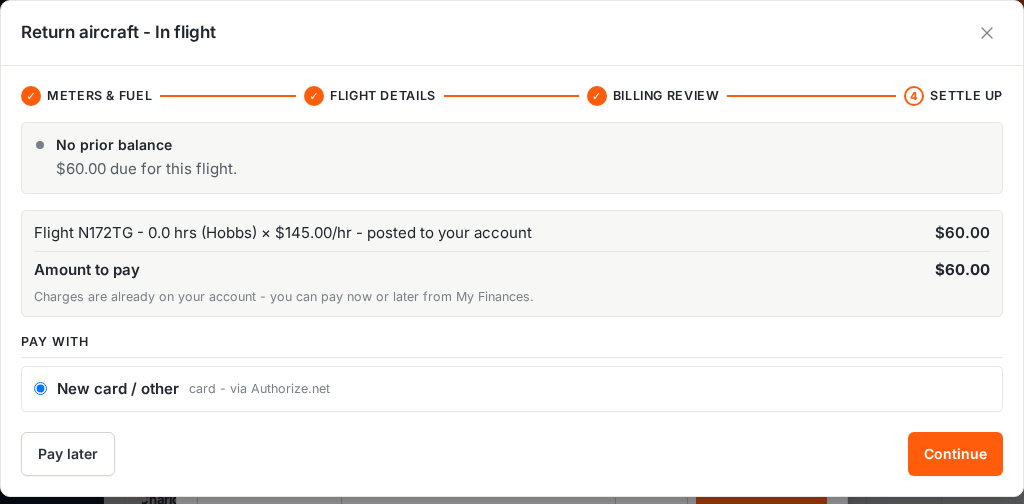
- Click Return & post, then settle. The student pays now or later, with every line itemized.
Was this page helpful?
Can’t find what you need? Contact us - a real person reads every message.