

Training
Training Overview
Training turns a syllabus into scheduled lessons, graded records, and visible student progress, with each role seeing the workflow that belongs to them.
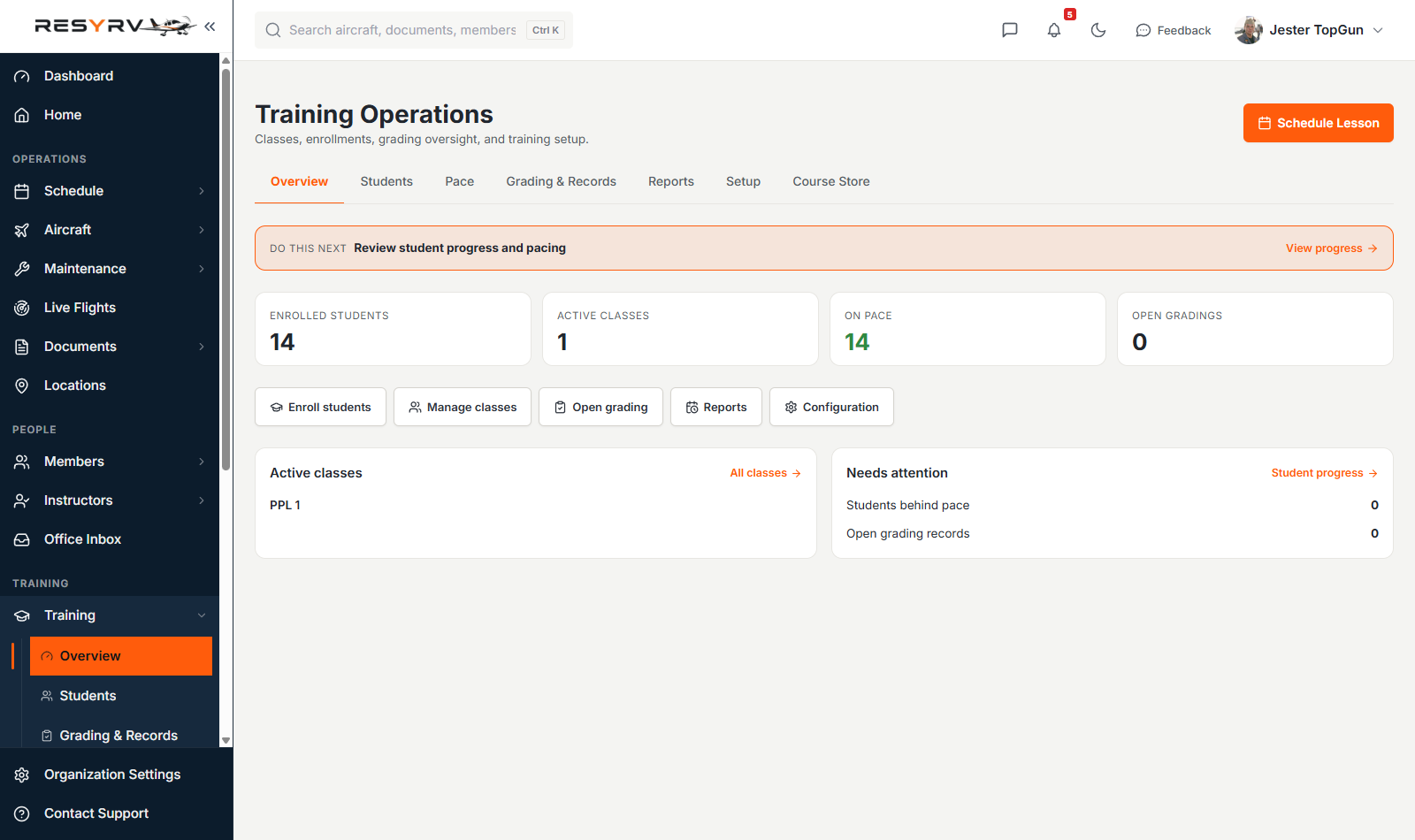
Training Operations is the workspace. It holds an overview of where the school stands, the students and their enrollments, pacing, every grading record, reports, and the setup behind it all.
Syllabi
A syllabus is the structured course you teach from: stages, lessons, and the items graded in each lesson. Build your own in the training configuration, or buy a ready-made template from the Course Store and adapt it.
Course Storebuying a ready-made syllabus.
Enrolling students
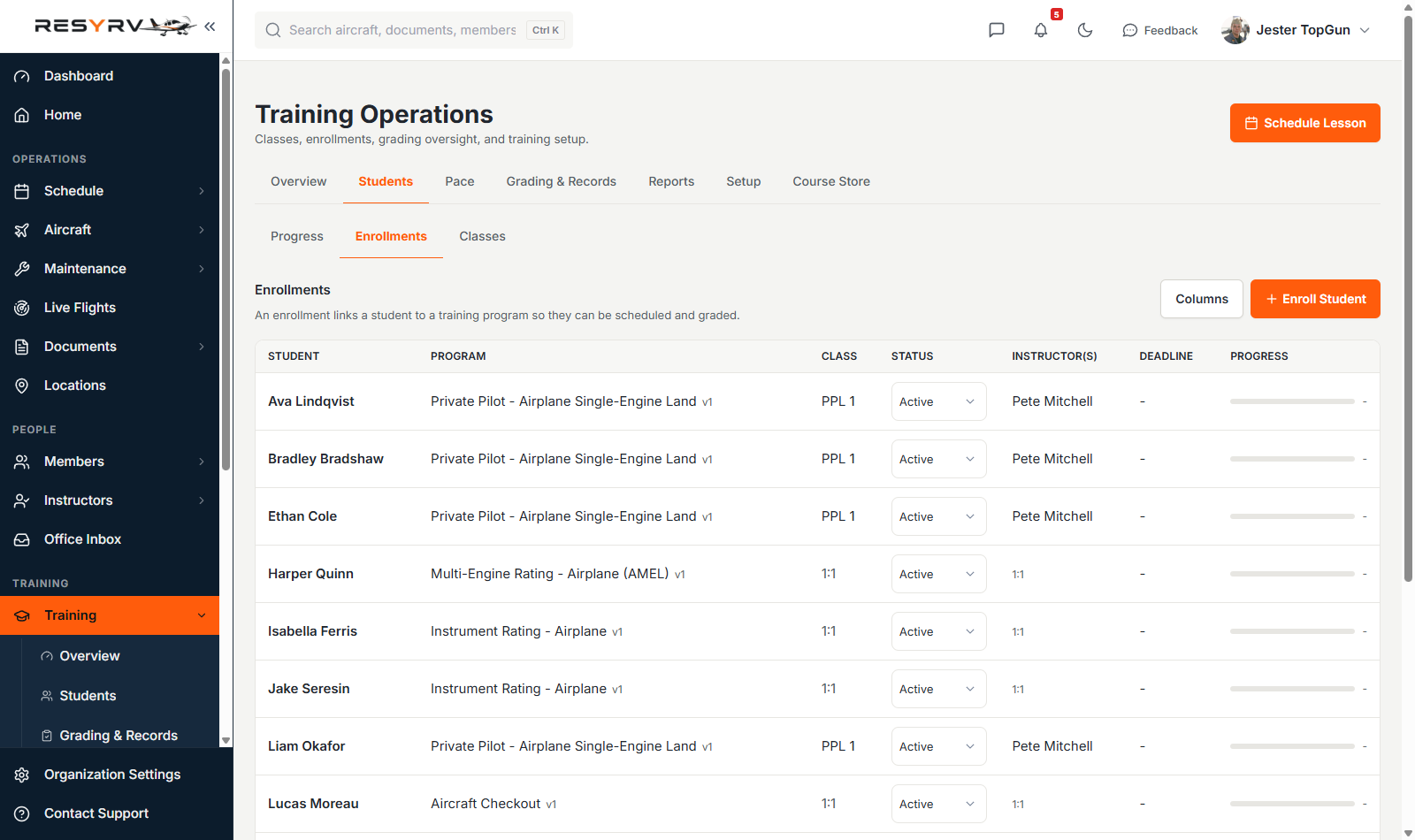
Enroll a member into a syllabus and pair them with an instructor. From that point their progress is tracked lesson by lesson, and their upcoming training shows on both the student’s and instructor’s views. Enrollments can run as a class moving through the syllabus together, or one-to-one, and a student can hold several at once (a Private course alongside an aircraft checkout).
Watching progress
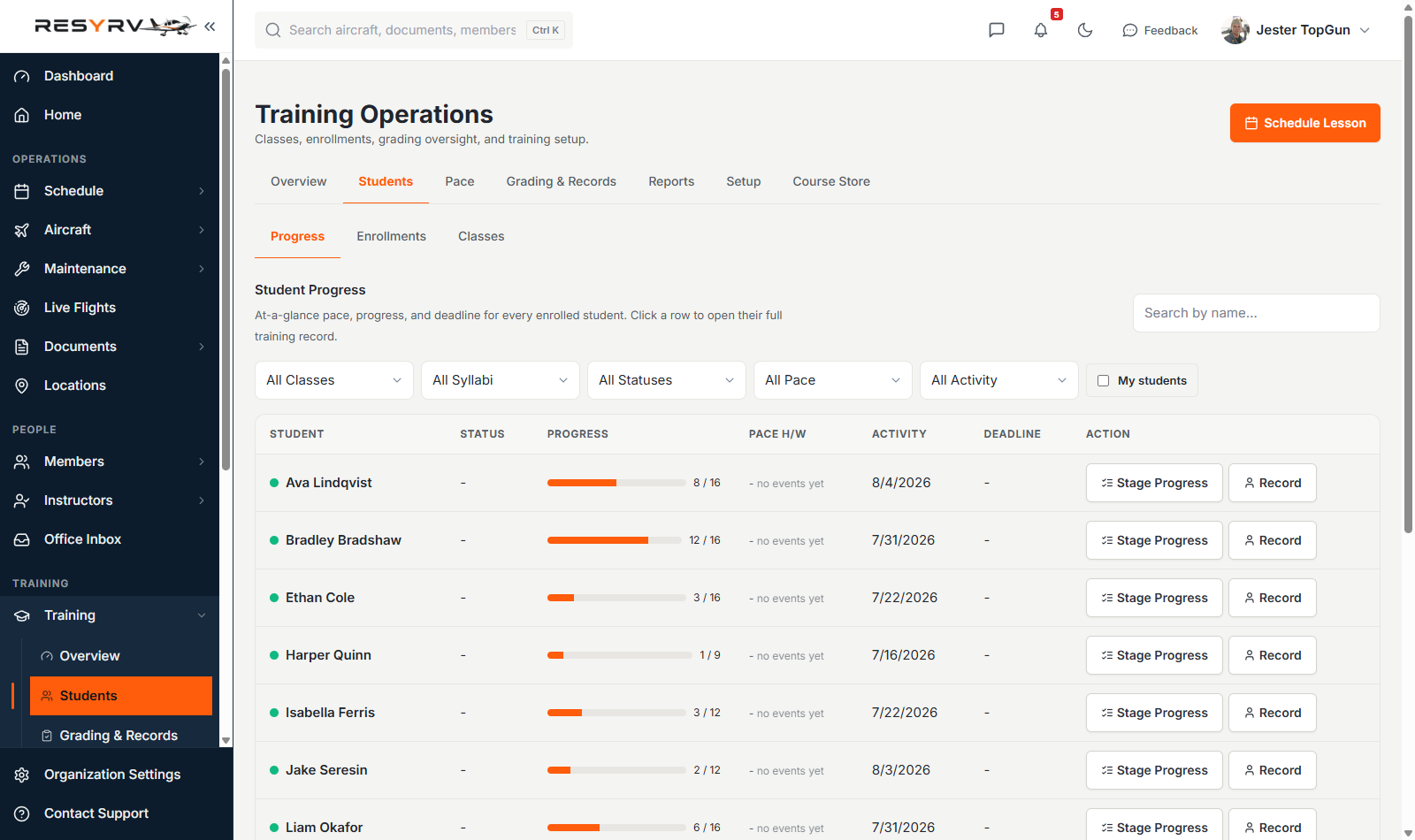
The Progress roster is the day-to-day view. It shows how far each student has come, when they last flew, and what their deadline is. Filter it by class, syllabus, status, or pace, and instructors can narrow it to just their own students. Each row opens that student’s full record.
Pace
Pace projects a completion date for each enrollment from that student’s own recent rate of progress, estimates when their next stage check lands, and compares both against the deadline.
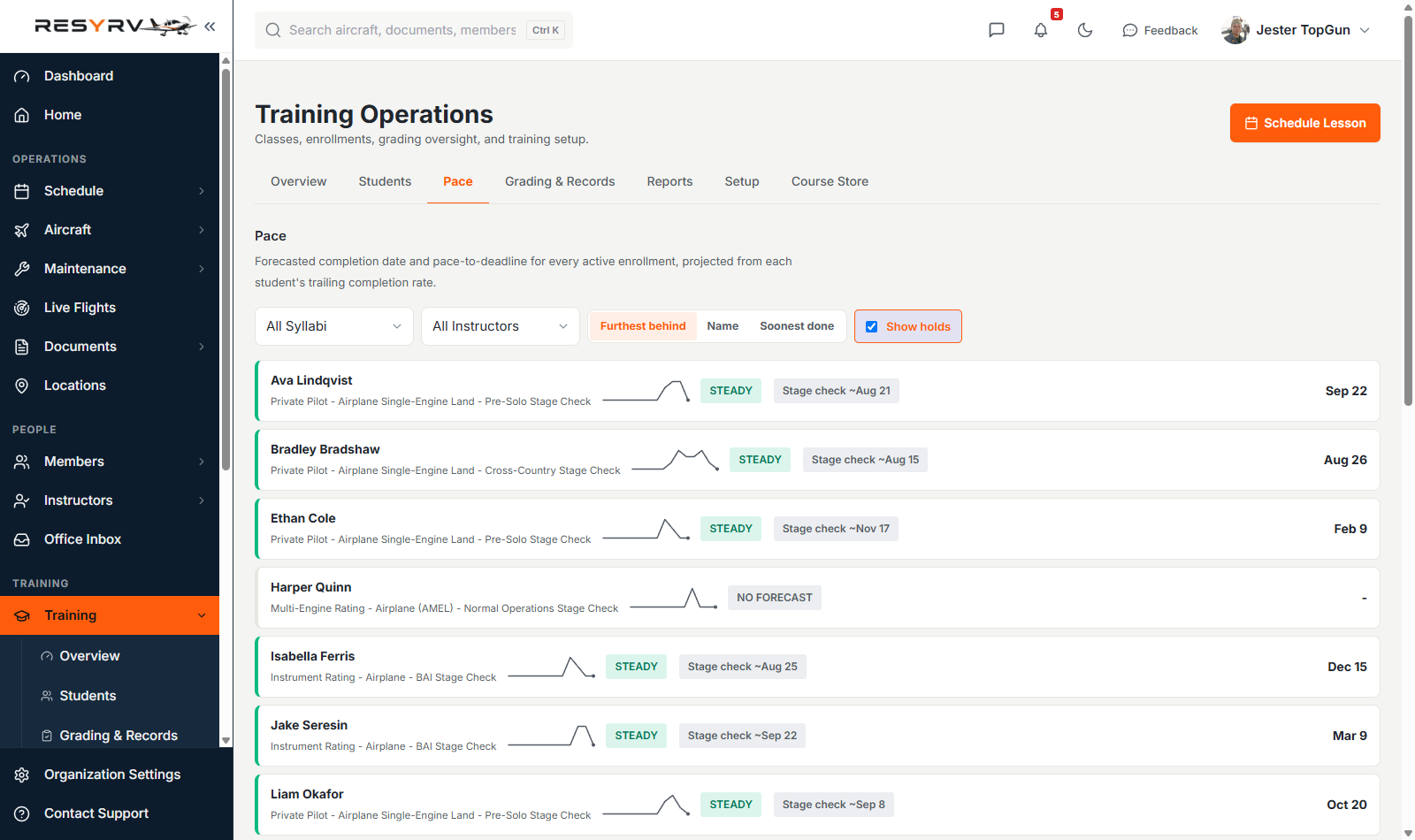
A student with too little history to project shows "no forecast". Sort by furthest behind to triage, and include or hide enrollments that are currently on hold.
Lessons and scheduling
Training rides on the same schedule as everything else. A lesson is a reservation with an instructor attached, and it can reserve a classroom or briefing room alongside the aircraft when your locations have those facilities set up.
There are two ways into the same booking. Book a Lesson from the calendar and optionally attach the student’s enrollment and the syllabus lesson, or start from the Training area, where "Schedule Training Event" walks template-first through the same booking. Either way the reservation and its gradable training record are created together, so nothing booked ever goes missing from grading. Ground and classroom lessons book the same way, holding a classroom when the lesson calls for one, and a "Schedule lesson" button on the student’s record pre-fills the next lesson due in their syllabus.
A training event always names its instructor, the person who will grade it. The booking won’t save without one, and the instructor must be registered and authorized in your training setup; if a syllabus restricts who may teach it, only its approved instructors can be booked. The instructor’s availability and the aircraft’s maintenance posture are checked at booking time, exactly like any other reservation.
Training bookings are badged on the calendar. Hover any reservation to see whether it still needs grading or has been graded.
The Schedule Builder proposes a whole block at once, fitted to every student, instructor, and aircraft calendar, and you commit the ones you keep.
Schedule Builderproposing a whole week at once.
Grading
After a lesson the instructor fills out the grading sheet. Records save as drafts while the instructor works, then get submitted when final. A lesson that ended early can be marked incomplete. Drafts stay editable; submitted records are the student’s official history, and the student acknowledges them in their own view.
Grading & Records is every record the school has produced, in one list: student, lesson, date, grade, instructor, and where it stands. Filter to drafts you still owe, submitted records waiting on a student, or incomplete lessons, and export any record as a PDF.
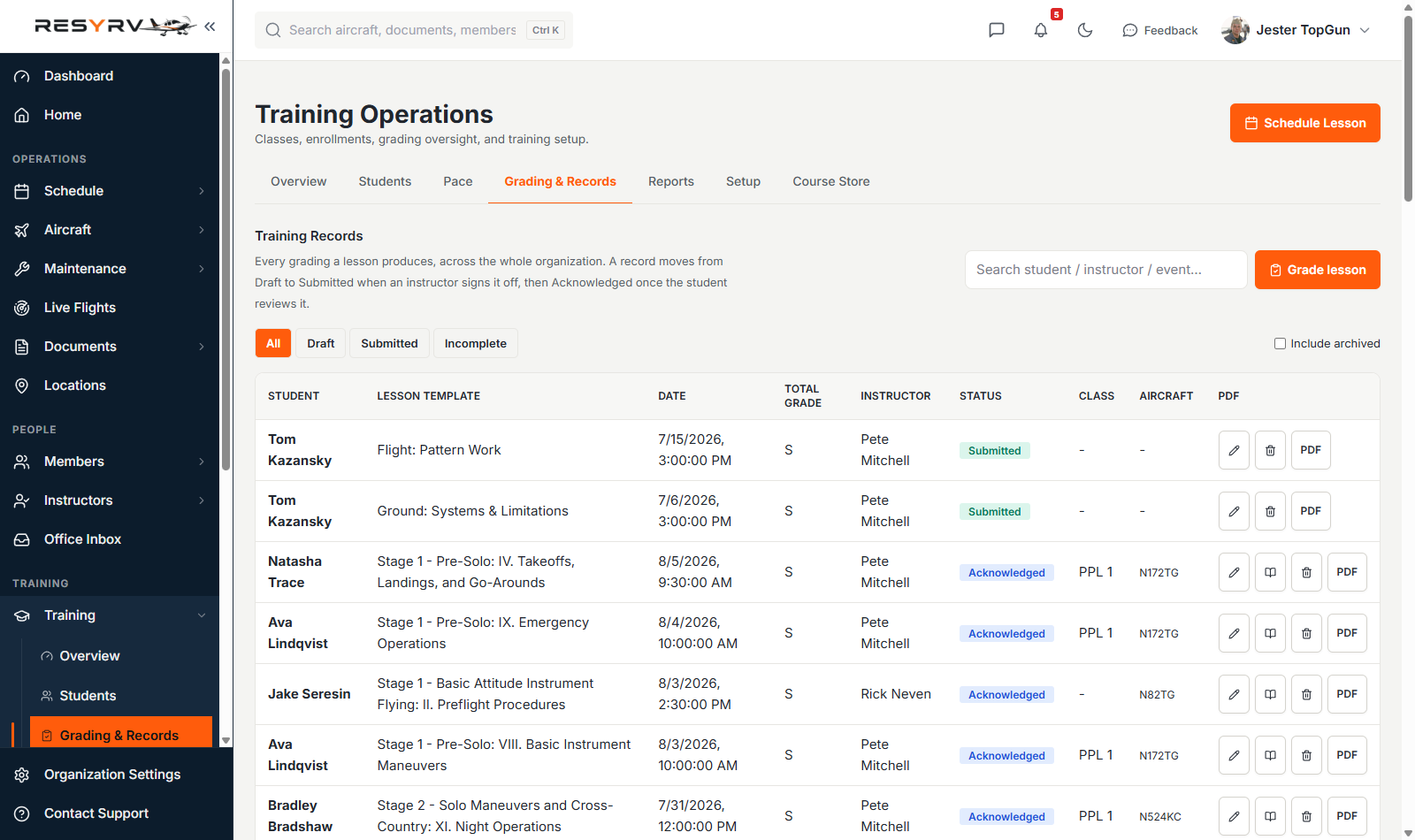
Signing records
Instructors sign a record with the same PIN they use to dispatch an aircraft, so the credential belongs to one person and dies with their account. Before signing, the signer sees the whole record, and what they saw is what gets signed. The wording of the statement and the contents are both captured at that moment.
Records are never quietly edited afterward. Changing a signed record invalidates the signature with a reason and asks for a fresh one; both signatures stay in the history. Nothing is ever hard-deleted.
Keeping training on track
Two optional scheduling rules connect training standing to the calendar. Training Enrollment Overdue flags a student whose active enrollment has blown past its completion deadline; Training Stage Check Unpassed flags a student who has reached a stage check they haven’t passed. When either fires, the student’s solo and rental bookings warn (or block, if you configure it that way). Lessons with an instructor always stay open.
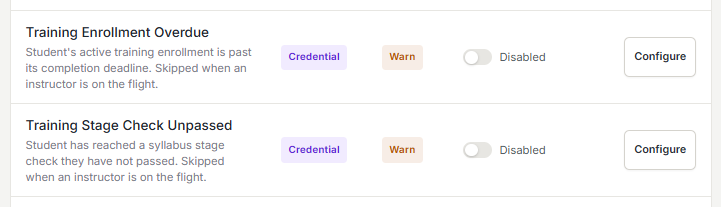
Both rules ship disabled, so nothing changes until your organization turns them on from Settings, then Gates & Compliance, with the same warn-or-prevent and per-location controls as every other rule.
What each role sees
- Students get My Training - their own syllabus progress, upcoming lessons, and graded records.
- Instructors see their students, pending grading, and their teaching schedule.
- Training managers configure syllabi and watch progress across the whole operation.
Was this page helpful?
Can’t find what you need? Contact us - a real person reads every message.