

Getting Started
Set Up Your Aircraft
An aircraft record holds the billing rates, maintenance counters, and documents that your full group uses.
Tail number and meter times
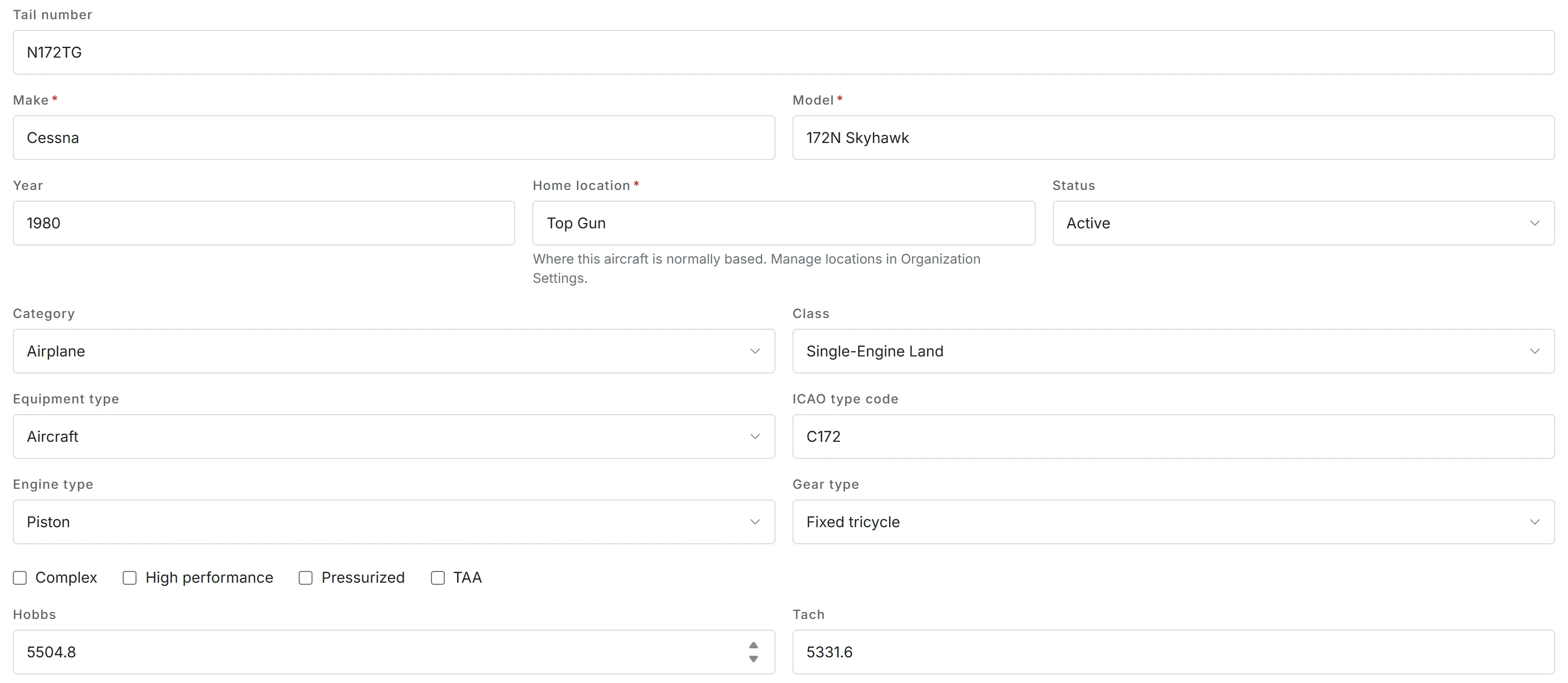
Each aircraft needs a tail number, a make and model, and its current Hobbs and tach times. The meters start from those times. Flight logs advance the meters, and maintenance intervals count against them. Make sure that these times are correct on the first day.
Billing rates and meters
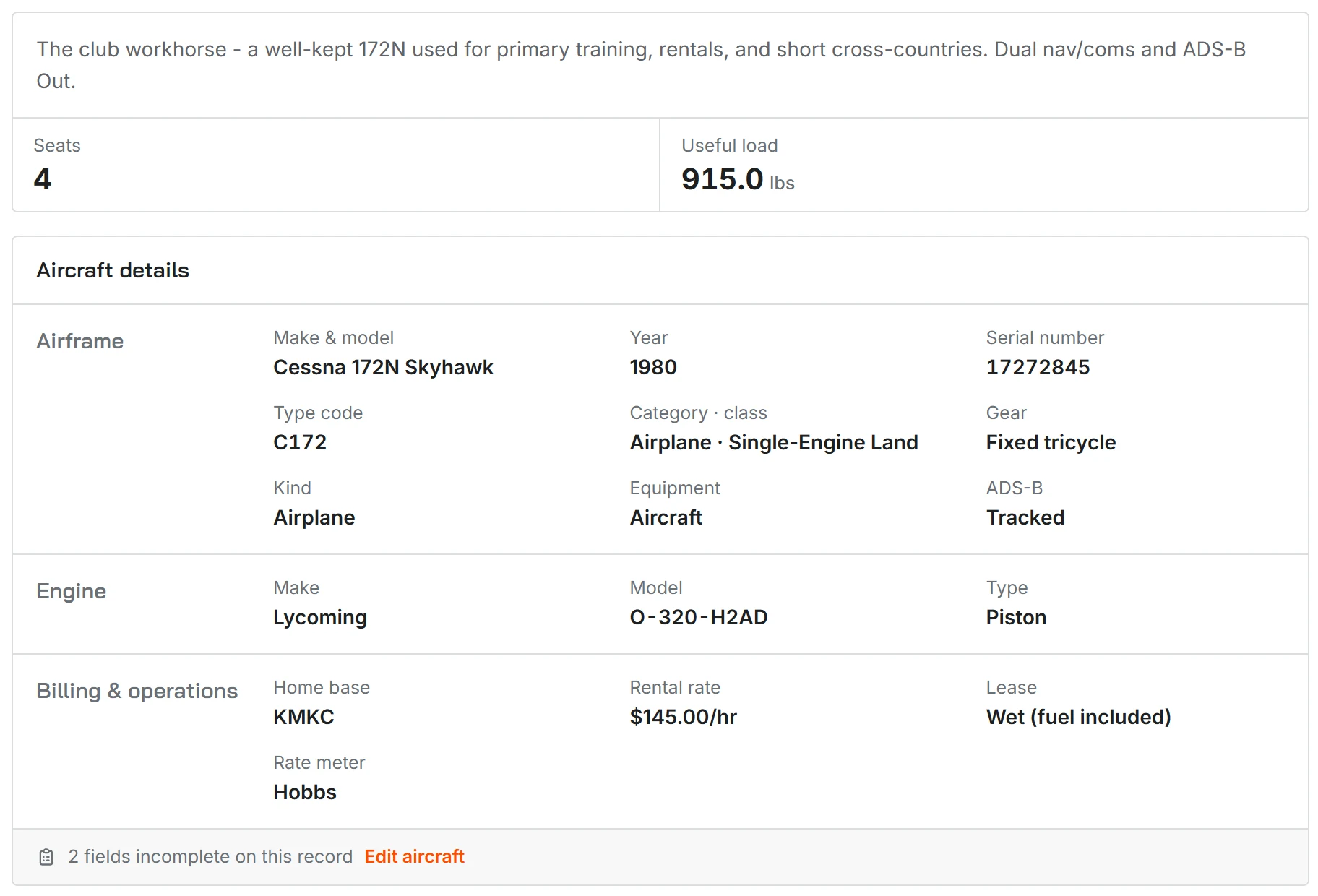
In the billing settings of the aircraft, you select how Resyrv charges flight time and which meter it uses:
- Wet rate - one hourly rate that includes fuel.
- Dry rate - an hourly rate without fuel. Fuel handling is separate.
- Hobbs or tach - select the meter that Resyrv uses to calculate the hourly charge.
Each aircraft has its own rates. Thus a simple trainer and a complex retract can have different rates in the same organization.
Fuel handling
You set the fuel handling one time for each aircraft, so that all flights bill the same way. On a wet aircraft, the hourly rate includes fuel, and members never use fuel receipts. On a dry aircraft, members send fuel receipts for reimbursement. The credit then decreases their balance.
Home location and access
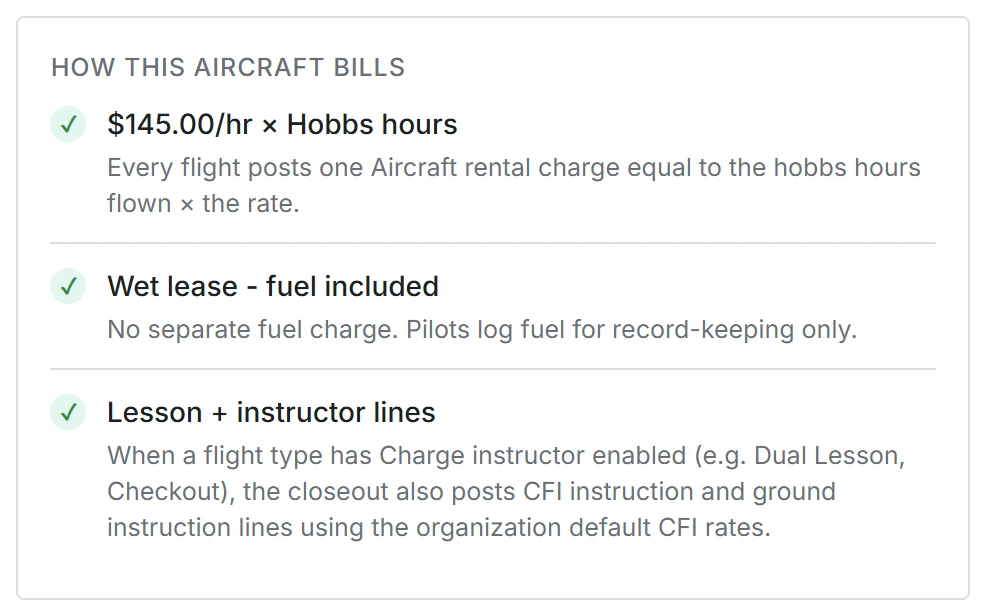
If your organization operates from more than one field, give the aircraft a home location. Members see only the aircraft based at locations that they are authorized for. Thus, in a club with many bases, each member sees only the applicable aircraft, without extra work.
Documents
Attach the registration, insurance, and weight-and-balance documents to the aircraft. Then the documents stay with the aircraft, not in the email of a person. Documents can have expiry dates. Resyrv shows these dates when they come near.
Maintenance items
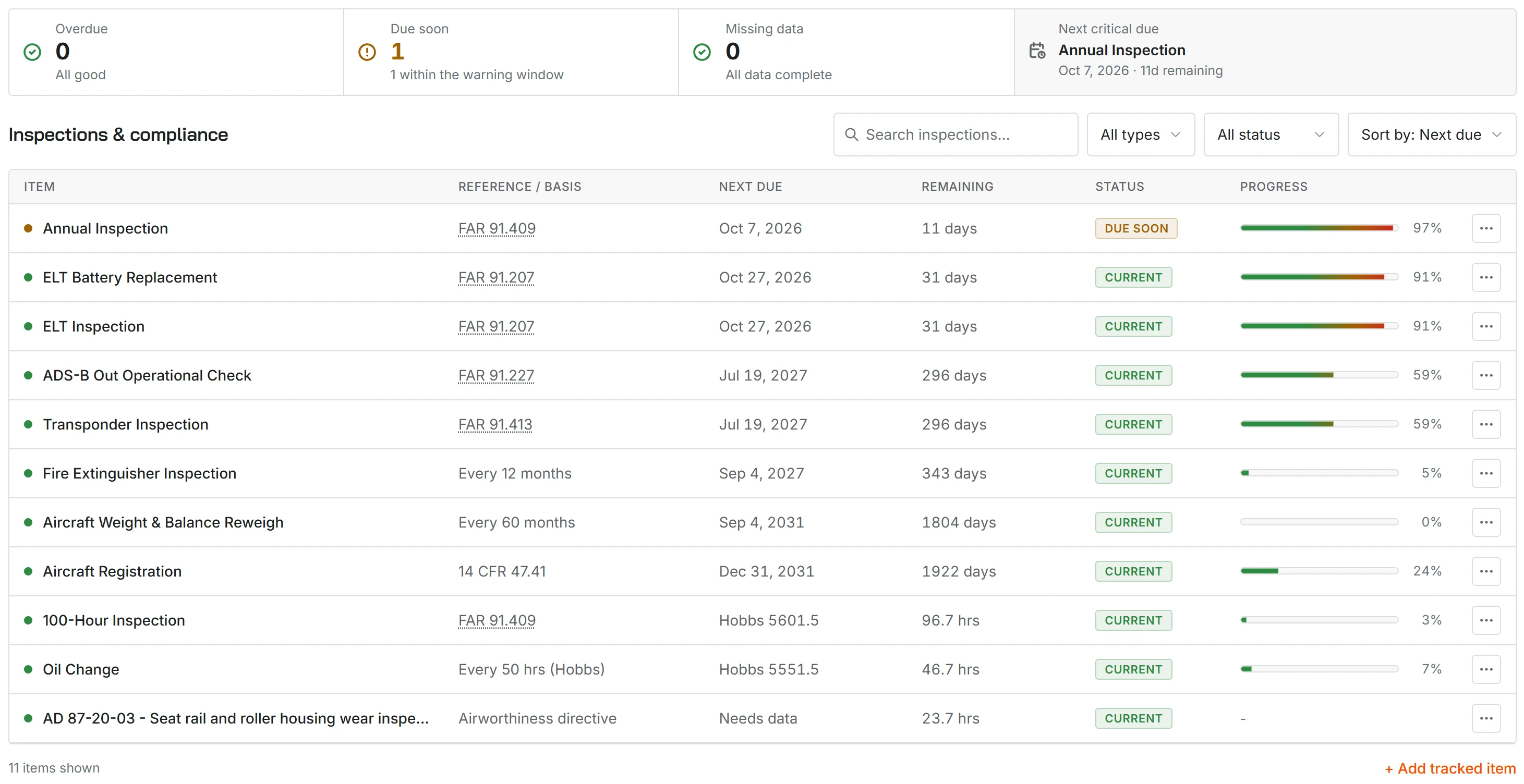
Set up maintenance items, for example annual, oil change, ELT battery, transponder cert, and AD compliance. Each item has an hour interval, a calendar interval, or both. When flights advance the meters, Resyrv decreases the remaining time automatically. The items then show on the maintenance due list.
Owners and pilots
Each aircraft has two lists of people, on two tabs. Ownership shows who owns the aircraft and the share of each owner. If the member shares do not add up to 100%, the organization holds the remainder. Thus a club or school aircraft shows “organization, 100%” and not an empty table.
Pilots shows who is permitted to fly the aircraft, with their checkout status and currency. The aircraft wizard asks about ownership at the start. You select one of three options: the organization owns it, you own it, or a set of members share it.
Was this page helpful?
Thanks - that helps. Tell us what was missing and we will fix the page.
Can’t find what you need? Contact us - a real person reads every message.